
TrustRadius: an HG Insights company

Lifesize Video Conferencing

Score9 out of 10

286 Reviews and Ratings

What is Lifesize Video Conferencing?

Lifesize is a web conferencing platform focused on making video conferencing systems and video conferencing apps work well together, while still being easy-to-use. Their platform incorporates web conferencing software with meeting room devices and wireless screen sharing.

Media

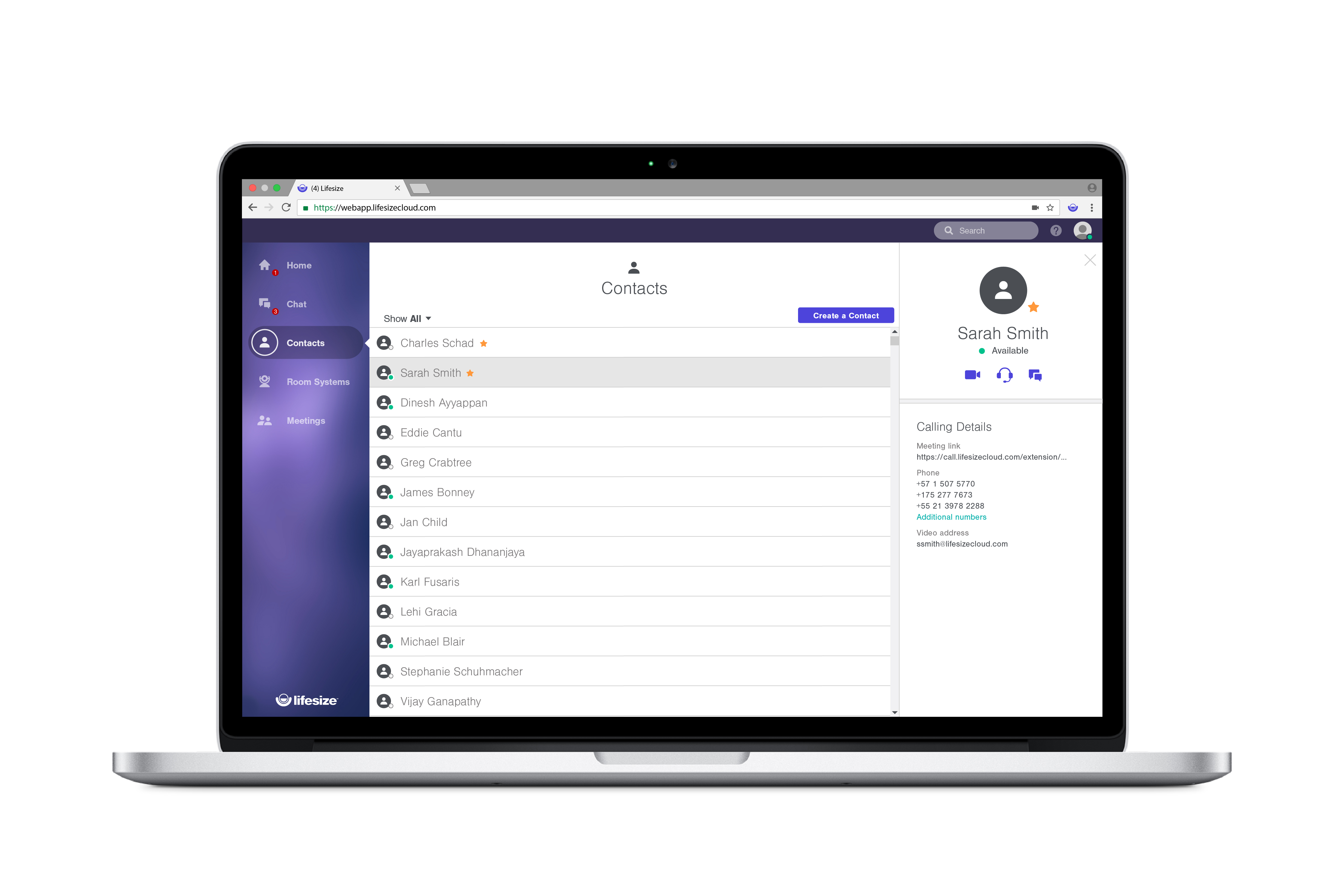
Lifesize Web App directory
Lifesize Web App screen sharing and five-way call
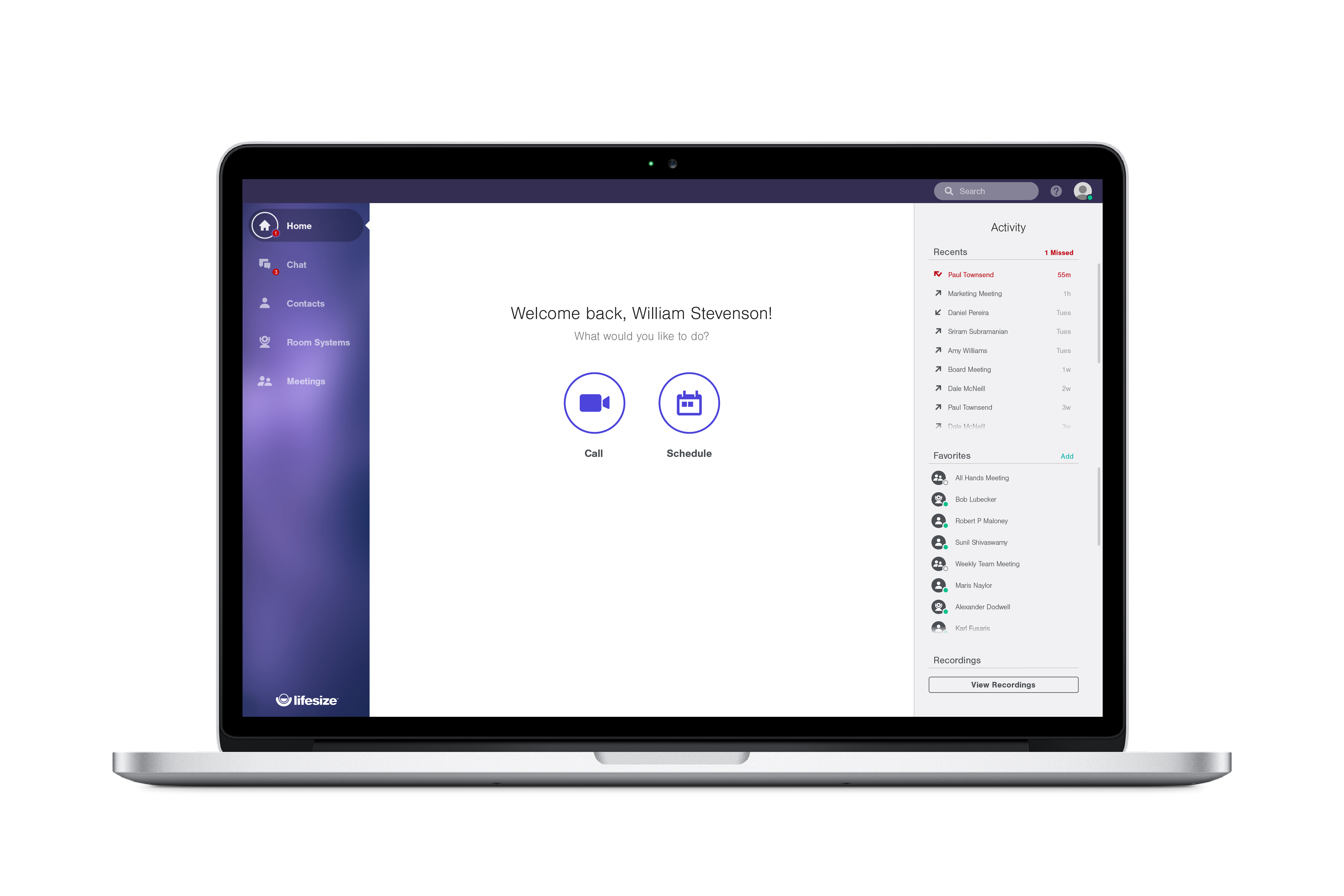
Lifesize Desktop App home screen
Lifesize Desktop App group video call with moderator controls
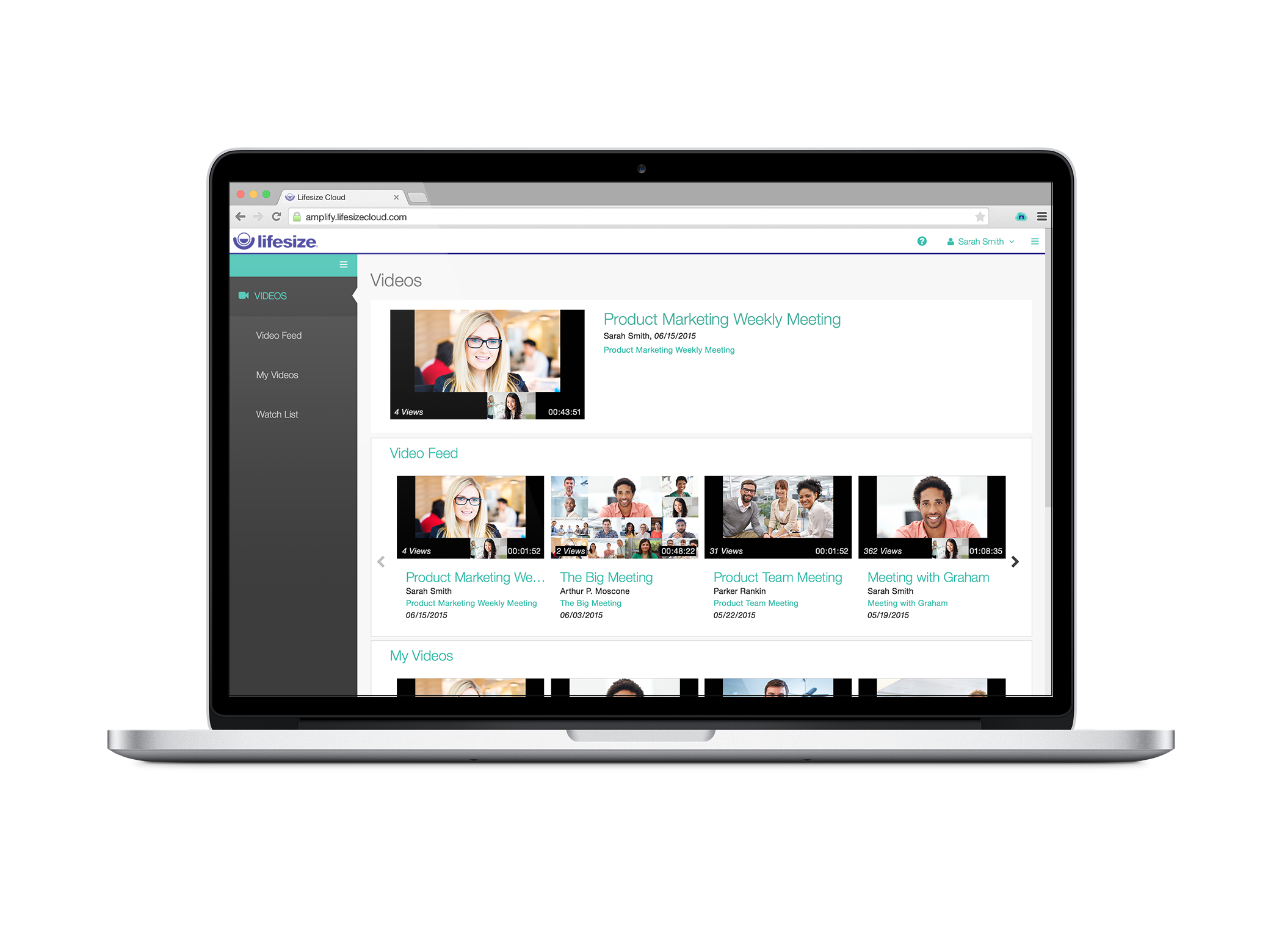
Lifesize Record & Share personal video library
Lifesize Record & Share personal video library - video feed
Lifesize Record & Share personal library - my videos
Lifesize Web App Admin Console
Lifesize Web App Admin Console advanced settings

1 / 9

Top Performing Features

  • Desktop sharing

    Presenters can remotely share a view of their desktop with attendees.

    Category average: 8.2

  • Live chat

    Participants can use one-on-one and group instant messaging to communicate privately or selectively during meetings.

    Category average: 8.4

  • Q&A

    Attendees can ask questions during the presentation.

    Category average: 8.1

Areas for Improvement

  • Meeting initiation

    Meetings can be easily initiated, whether they are scheduled or on the fly.

    Category average: 8.2

  • Record meetings / events

    Meetings and webinars can be recorded for playback.

    Category average: 8.3

  • Slideshows

    Presenters can present slideshows during the meeting within the web conferencing platform.

    Category average: 8.4

WEB AUDIO AND VIDEO CONFERENCE SOLUTION.

Use Cases and Deployment Scope

Lifesize Video Conferencing is a video conferencing solution that offers great features and a high level of collaboration with face-to-face screen sharing with HD video and audio quality, as well as being fast and secure with business quality. I really like this tool because it offers a robust but very easy-to-configure interface as well as excellent customer service and immediate connection from anywhere and on any device. I love that meetings are smooth and smart, audio and video don't get stuck and meetings run smoothly.

Pros

  • Lifesize Video Conferencing is an online meeting platform that provides effectiveness and simplicity, a mixture of professionalism and intelligence has provided me with an excellent service, working normally, so far it has not thrown me errors or setbacks, there is nothing that bothers me.

Cons

  • Lifesize Video Conferencing helps me communicate with my colleagues, clients, and co-workers through simple and secure meetings, face-to-face screen sharing without limits or borders, helps me reach my clients with a unique experience as if we were dealing personally is perfect for closing deals, collaborating on projects with my co-workers and at the same time-saving time, streamlining tasks and completing work in record time, thanks to this tool I can connect from my sofa, having a coffee and even traveling in the plane is the perfect measure to not postpone my projects and carry them out without complications.

Most Important Features

  • Lifesize Video Conferencing is a real-time conferencing solution that offers its users the opportunity to organize and join meetings in an easy, intelligent, and immediate way with HD video, it does not require downloads for the guests which avoids tedious configurations and capturing in a simple way to the participants, increases the efficiency of remote work, saves time and money in mobilization, as well as reaching any part of the world with the push of a button, does not show limitations and makes communication possible from anywhere, which helps to carry an I work on the fly transparently and with wonderful results.

Return on Investment

  • Lifesize Video Conferencing is an online solution that offers tools to organize and attend meetings in real-time through rooms that are easy to configure, secure, and of excellent quality, it is a collaboration and teamwork software that brings positive results when working together. distance, I really like it because it offers secure, immediate, enterprise-class meetings with HD image quality and crystal-clear audio with a mobile webcam and cloud storage.

Alternatives Considered

Adobe Connect, GoTo Room and Zoom Phone

Other Software Used

GoTo Room, Adobe Connect, Zoom

A cheaper alternative, not sure if it's worth the headaches though

Pros

  • In the simplest form of Video Conferencing, they work for small meetings
  • In some of the newer models, the video quality is pretty darn good if you can support the bandwidth
  • The table-top phone/speaker integrates nicely

Cons

  • Lack of features or options to integrate with other solutions
  • Audio was just ok. If it was a meeting with more than 3-4 people, it seemed it was too much
  • I had a hard time with support. They were not very responsive and felt like an up-hill battle at times.

Return on Investment

  • They have certainly helped reduce costs in travel, but as you can tell from this review, we've outgrown the limitations of Lifesize Video Conferencing.
  • Dealing with support is certainly a negative.

Alternatives Considered

Polycom RealPresence Group Series

Usability

Lifesize is a great tool!

Pros

  • User friendly
  • Easy to use
  • Video quality

Cons

  • There was not anything that I disliked.

Return on Investment

  • Increased efficiency with good quality.

Other Software Used

Zoom, Skype for Business (formerly Lync), Microsoft Teams, Slack

Usability

Get better experience of calling

Pros

  • I feel more reliable and secure to get started with this tool.
  • Quality audio video services.
  • Screen Sharing is on of the most efficient way of communication with others.
  • Meeting scheduling is also a fantastic and easy.

Cons

  • I think side by size the audio option should provide the messaging option as well because sometimes I need to discuss the thing with few members and all the time callings are not carried out.
  • Further while having a conference call I face a buffering situation in the background.

Return on Investment

  • Reliable conferencing platform in the market.
  • It is incredibly cost effective.
  • Enhanced efficiencies.
  • Improving productivity.

Alternatives Considered

Skype

Other Software Used

Scoro, Smartlook, Qlik Sense, Act-On Software

Usability

COO's Review of Lifesize Video Conferencing

Pros

  • Video resolution when it works is great. But it has frequent issues.
  • Screen sharing is good when it works but has frequent issues.
  • The ability to invite people to meetings is great but the user interface to schedule those is not user friendly. So we have few people that can use it remotely other than a few power users and people that join one of our two conference rooms that have the dedicated unit.

Cons

  • The quality of service (QOS) varies greatly. We have constant lag and other issues that make it difficult to use and cause a great deal of frustration. When it works, its great but our users think it's a joke.
  • Remote users have horrible QOS.
  • Easier scheduling system to send invites out using web interface that ties into Outlook.

Other Software Used

Slack, Asana, NetSuite

Usability