TrustRadius: an HG Insights company

Zoho Meeting

Score8.8 out of 10

44 Reviews and Ratings

What is Zoho Meeting?

Zoho Meeting is a web-based online meeting solution.

Categories & Use Cases

Media

Meet across devices using Zoho Meeting
Host moderator controlled meetings with Zoho Meeting
Organize engaging webinars with Zoho Meeting
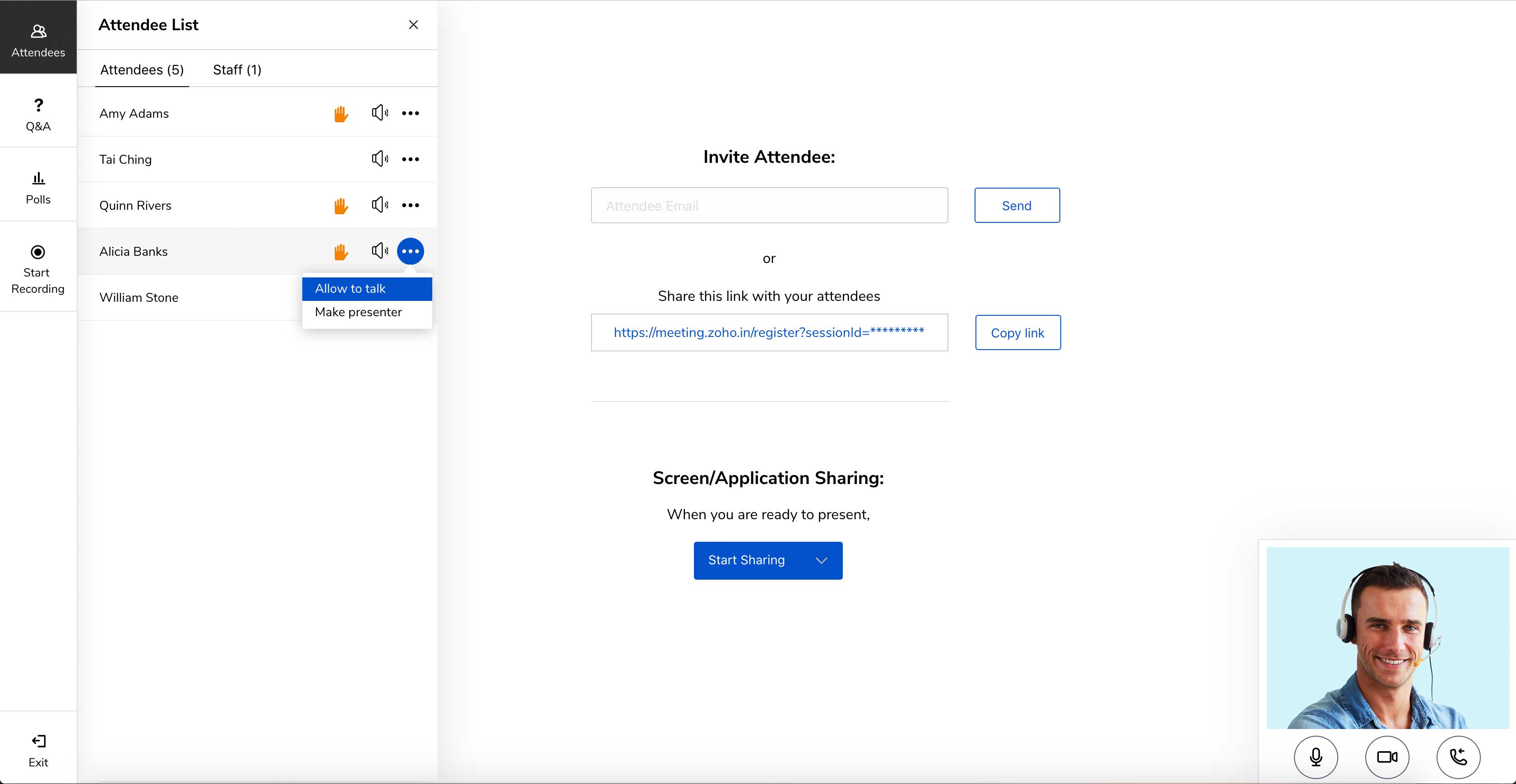
Engage attendees during the webinar
Meeting participant's viewing presenter's screen

1 / 5

Top Performing Features

  • Calendar integration

    Scheduling capabilities integrate with users’ Calendars.

    Category average: 8.3

  • Record meetings / events

    Meetings and webinars can be recorded for playback.

    Category average: 8.3

  • Desktop sharing

    Presenters can remotely share a view of their desktop with attendees.

    Category average: 8.2

Areas for Improvement

  • Audience polling

    Presenters can ask for audience input.

    Category average: 8.2

  • Q&A

    Attendees can ask questions during the presentation.

    Category average: 8.1

  • Low bandwidth requirements

    Software is optimized so that meetings do not require a huge amount of bandwidth.

    Category average: 7.4

Easy Meeting Setup And Fantastic Features

Pros

  • Web-based meetings with audio and video conferencing that are genuinely interactive are now possible thanks to these innovative tools.
  • Screen sharing and application sharing options and remote access to other devices make it simple for anyone to use.
  • Audio and video, polls, and recording capabilities are available for valuable presentations, product promotions, and webinars.

Cons

  • The connection is unstable, and the interface is unappealing. Meetings and webinars lack proper HD video support.
  • There is no user or meeting management when you are in one video conference with this service.
  • New and exciting features and upgrades should be added to the application to keep people interested in the sessions.

Return on Investment

  • It is a handy tool for online sessions, and it has become convenient in this uncertain period across the world.
  • Using the proper notification system has helped us increase the number of mentorship and speaker sessions and the productivity of our staff.
  • This application is designed to be easily installed and operated by anyone in the company. For business meetings, it has been a big help as well.

Alternatives Considered

GoToMeeting, Zoom Video Webinar, Skype for Business (formerly Lync) and now part of Microsoft Teams

Other Software Used

Skype for Business (formerly Lync), now part of Microsoft Teams, Paylocity, Zoho Survey, Google App Maker, Microsoft Teams

Usability

Zoho Meeting, it's time to give it a try

Use Cases and Deployment Scope

We use it as our internal and external meeting platform. The two business problems we were working to address were 1) the cost of competing products, and 2) the integration with the rest of the Zoho products that we use. Specifically, we use Zoho Bookings as our external scheduling solution. This is where our future and current clients go to schedule meetings with the team. There are native and easy o setup integrations between Zoho Bookings and Zoho Meeting, which makes it nice for the team.

Pros

  • Integrations with other Zoho Products
  • Limited/no downloads needed for our clients to use
  • Easy sharing and collaboration

Cons

  • The ability to record the live video with a screen share

Return on Investment

  • It was a huge cost saving over what we were using before, all with basically the same functionality

Usability

Zoho Meeting- Best conferencing application available in the market

Pros

  • Embed meeting link feature- The feature is unique to Zoho Meeting and helps attach meeting link to website, thus anyone accessing [the] website can join the meeting with just one click of a button.
  • Surveys and questions are prepared pretty seamlessly in Zoho Meeting as compared to other video conferencing applications.
  • As mentioned earlier, webinar analytics i.e. the way all the questions and surveys data is presented in .csv file is very easy to understand and helps the team lead a lot in understanding and getting to know the team better.

Cons

  • I would certainly like to highlight that the webinar prices (monthly) as a bit on the higher side and [I feel it] might not be the best suited for a person starting creating a webinar on his new business. Therefore, just the webinar pricing (and not the meetings pricing) could be corrected a bit.
  • For me, it felt like the GUI of Zoho Meeting is a bit on the funkier side and else professionals working in IT might not be ultimately happy with the funkier colors used on the home page.
  • [I believe] the integrated applications under Zoho One also needs some more integration with Zoho Meeting so that a layman can also easily understand [the] usage of all the connected applications.

Return on Investment

  • Zoho Meeting has certainly helped me a lot to increase my ROI as through Zoho Meeting analytics, I am able to better analyze my team members inputs related to growth-related questions or surveys and thus I am able to get the best out of my team members.
  • Zoho Meeting's embed meeting link option has certainly helped me in reaching out to more and more firm employees and thus increase my team size which ultimately helps to increase my ROI
  • Zoho One and Zoho Home-Office Toolkit are great products which really made my work life easy and extensive use of these products has certainly helped me in achieving the best ROI possible.

Alternatives Considered

Zoom, Microsoft Teams, Amazon Chime, Skype for Business (formerly Lync), now part of Microsoft Teams and Google Hangouts Meet

Other Software Used

Microsoft Teams, Zoom, Skype for Business (formerly Lync), now part of Microsoft Teams

Usability

An exact solution for effective collaboration

Pros

  • Audio-video meeting
  • Instant messaging
  • File sharing
  • Effective collaboration
  • Easy to use and better user-interface

Cons

  • I do not see any improvement areas for this application

Return on Investment

  • Higher customer retention
  • Effective collaboration ensures better employee engagement
  • Saves time
  • Brings more efficiency in the business
  • Customers are well aware of the products and business

Alternatives Considered

Zoom

Other Software Used

Microsoft Teams, Telegram, WhatsApp Business

Usability

Simple and affordable solution for small businesses

Pros

  • Interactive web meetings with audio & video conferencing
  • Screen sharing and application sharing options, remote access to other devices
  • Host engaging webinars including audio & video, polls and recording features

Cons

  • Their free version is limited only for 3 meeting participants with 10 webinar attendees
  • They're lacking proper HD video support for meetings and webinars
  • They're also missing whiteboard option and interactive screen sharing option is also falls behind the competition

Return on Investment

  • Zoho Meeting helped us save money because of their low cost packages.
  • Unfortunately because of their bad video quality we had to look for other options.
  • Some clients were not familiar with Zoho Meeting because of the less popularity so we had to use other meeting applications to organize meetings

Alternatives Considered

Zoom, Google Hangouts Meet and Dialpad UberConference

Other Software Used

Adobe Acrobat Reader DC, FileZilla, Android Studio

Usability