TrustRadius: an HG Insights company

NinjaOne

Score9.2 out of 10

189 Reviews and Ratings

Start a Free Trial

Contact about NinjaOne

Please fill out the form below to get in touch.

NinjaOne

Connect with NinjaOne

What are you interested in?

Already have an account?

You hereby consent to have TrustRadius share the information supplied on this form with NinjaOne so that NinjaOne and TrustRadius may contact you in regard to the information requested.

What is NinjaOne?

The NinjaOne Unified IT Operations Platform delivers endpoint management, autonomous patching, backup, and remote access. NinjaOne aims to give organizations' employees a great technology experience to work faster, smarter, and easier while IT teams modernize and improve efficiency.

Read more details.

Media

Screenshot of the NinjaOne dashboard
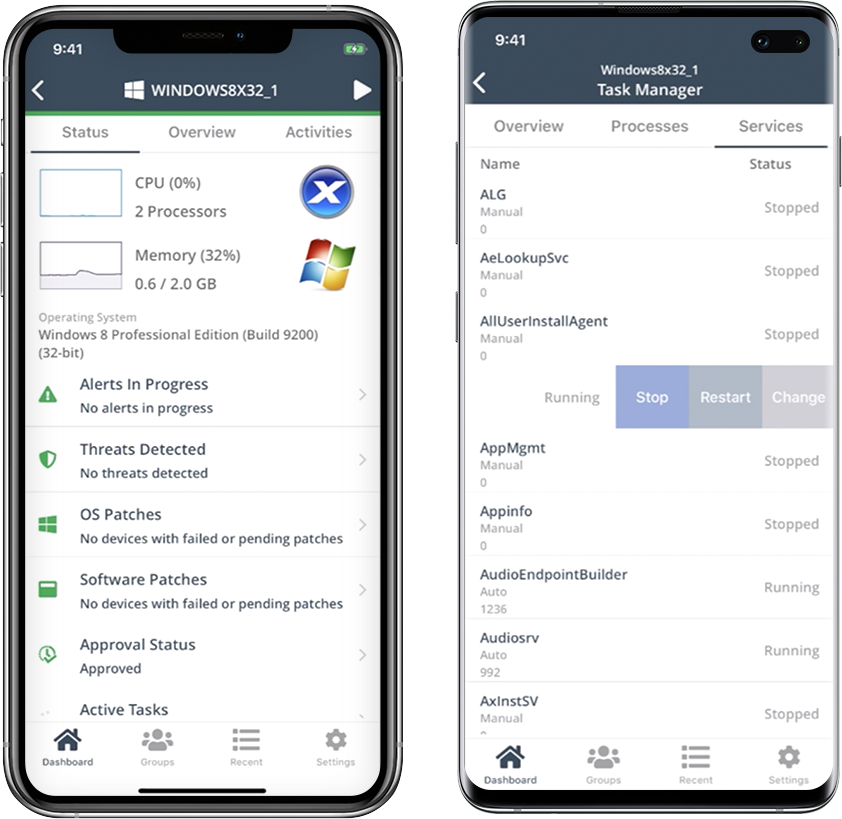
Screenshot of the NinjaOne mobile app
Screenshot of NinjaOne automation
Screenshot of NinjaOne device details
Screenshot of NinjaOne network monitoring - NetFlow
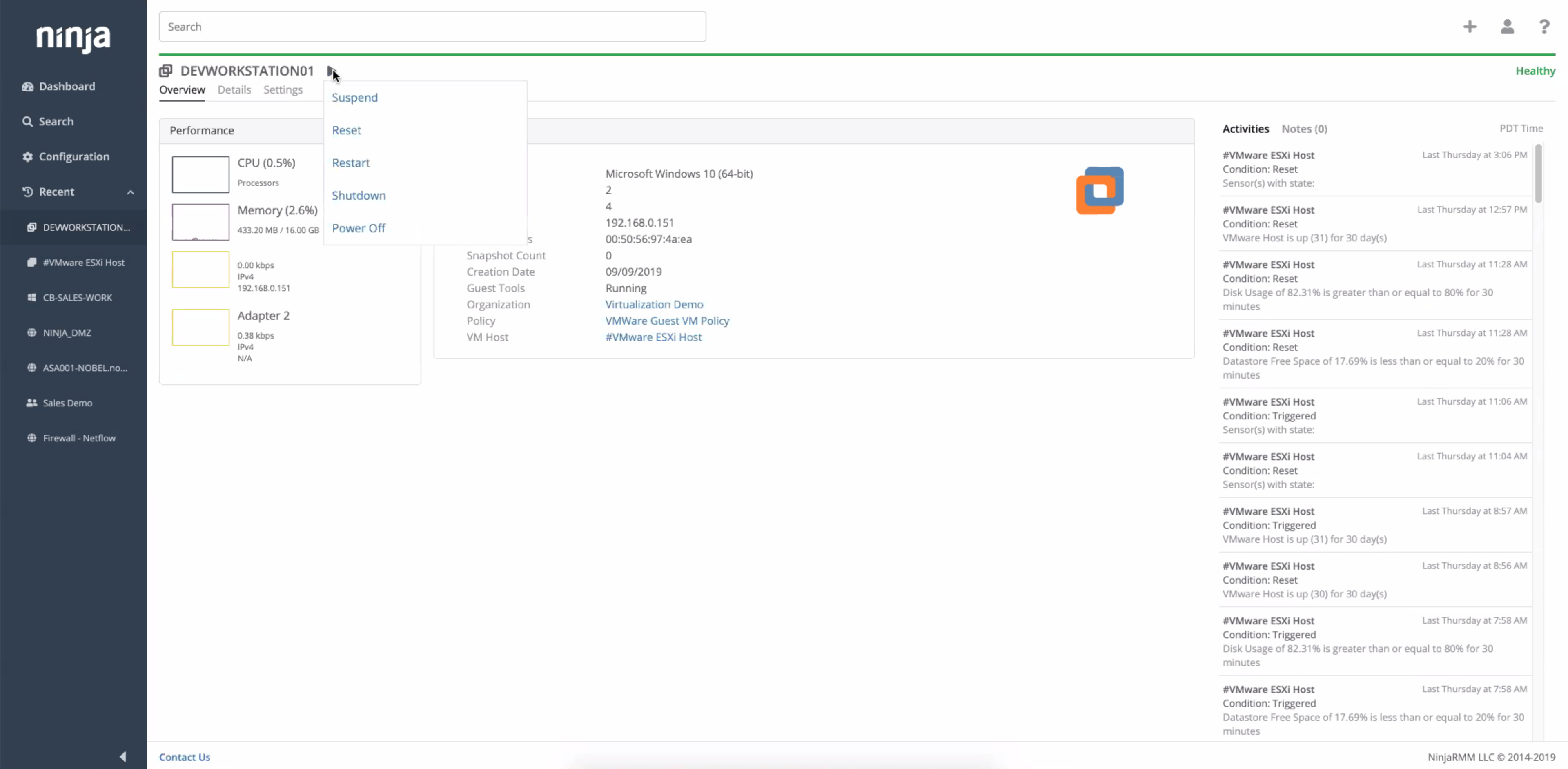
Screenshot of NinjaOne virtual machine monitoring

1 / 6

Screenshot of the NinjaOne dashboard

Pros

  • Robust remote access and control for troubleshooting and software deployment
  • Comprehensive patch management for operating systems and third-party applications
  • Efficient automation of IT tasks, including software deployment and onboarding

Cons

  • Limited MDM functionality, particularly for Android devices and remote login for iPads
  • Reporting features lack depth and accuracy, especially for patch reports
  • Patch deployment process could be clearer and cleaner

NinjaOne for the Win.

Use Cases and Deployment Scope

We use NinjaOne to manage and provide support for over 500 endpoints. Endpoint protection, security updates, and the ability to remotely support these devices are key reasons why we use the platform. We also use the NinjaOne MDM product to support all of our mobile devices, as well as macOS devices.

Pros

  • Security updates across MAC OS and Windows operating systems.
  • Remote access to support a multi location environment.
  • Endpoint protection for antivirus.

Cons

  • Reporting capabilities.
  • Webclips for MDM devices - iPads.
  • Remote login for iPads.

Usability

Return on Investment

  • Reduced truck rolls to off-site locations by 75%.
  • Saved 30% on IT support budget by reducing vendor stack.

Alternatives Considered

ConnectWise RMM, ManageEngine Endpoint Central and Trend Micro Cloud One

Other Software Used

Microsoft 365, Adobe Acrobat, monday.com

NinjaOne is a great product for remote management needs

Use Cases and Deployment Scope

NinjaOne has been a product that I can turn to that provides me with really in-depth information about my users and what their computers are like. The interface is intuitive, and working with the problem is seamless. Being able to quickly remote in to a users computer while also having up to date information makes the whole experience easy.

Pros

  • scripting
  • status checks on devices
  • remote management
  • app/update control

Cons

  • browser manag ement for firefox,safari, non-edge/chrome browsers

Usability

Return on Investment

  • ease of use
  • solid everyday driver

NinjaOne Review

Use Cases and Deployment Scope

We use NinjaOne for remote desktop support and windows updates as well as pushing software

Pros

  • Remote Desktop Support
  • Approving Windows Updates
  • Pushing new versions of software
  • Storing Bitlocker keys

Cons

  • Only thing is that we have to click on "Custom" under "Default Fields" to get to the Bitlocker keys

Usability

Return on Investment

  • The value we get is great. We also use Ninja backup as well. Overall the best bang for the buck

Other Software Used

Slack, Adobe Acrobat, ZAC

Ninja is number One.

Use Cases and Deployment Scope

NinjaOne serves as our platform for managing thousands of customer endpoints, providing invaluable support and sales capabilities to our teams. For sales purposes, we obtain all the necessary information to effectively notify clients when upgrades or replacements are required. By providing proactive support, we ensure that our clients remain operational and efficient.

Pros

  • Proactive management.
  • Endpoint assess management.
  • Back end support.

Cons

  • Better integration with RepairShopr would be nice.

Return on Investment

  • Sales use to determine client upgrades is essential.

Alternatives Considered

RepairShopr

Other Software Used

RepairShopr, CYRISMA

Great product and would recommend to anyone. NinjaOne has been a game changer.

Use Cases and Deployment Scope

I have been using NinjaOne for about 3 years now and can't imagine not having it help support me in my IT Manager role. I am the only IT person in our company of over 500 employees and over 100 laptops and over 100 mobile devices. There was a little bit of a learning curve to get everything up and running the way I wanted but with their webinars and online videos it was not hard at all. I also love the fact that scripts and resources are available from other end users like myself. I had demonstrations from various other competitors but not one of them offered everything under the same roof. Being able to manage everything from Helpdesk Ticketing to device patching, servers, workstations, and MDM for all our Apple and Android devices is fantastic. We even added the Webroot antivirus package as well as the Splashtop remote software and NinjaOne backup. There literally is no other software you require to run the whole organization.

Pros

  • Device Management
  • Software Patching
  • Ticketing
  • Remote Support
  • Backup
  • Reporting

Cons

  • Nothing

Return on Investment

  • Time Savings Is Huge
  • Onboarding Made Easy
  • Backup Hassle Free
  • Remote Management With Click Of Button
  • Scripting and Automation Simple

Alternatives Considered

Atera, Syncro and Microsoft Intune

Other Software Used

Microsoft 365, DX Spectrum, Parallels Desktop for Mac, Xcode