TrustRadius: an HG Insights company

CoreMedia

Score7 out of 10

12 Reviews and Ratings

What is CoreMedia?

CoreMedia is a composable DXP with a hybrid headless CMS that unifies content, data and AI to deliver personalized omnichannel experiences. It supports real-time optimization, automation, localization and flexible deployment, enhancing efficiency across marketing, content and customer interactions.

Media

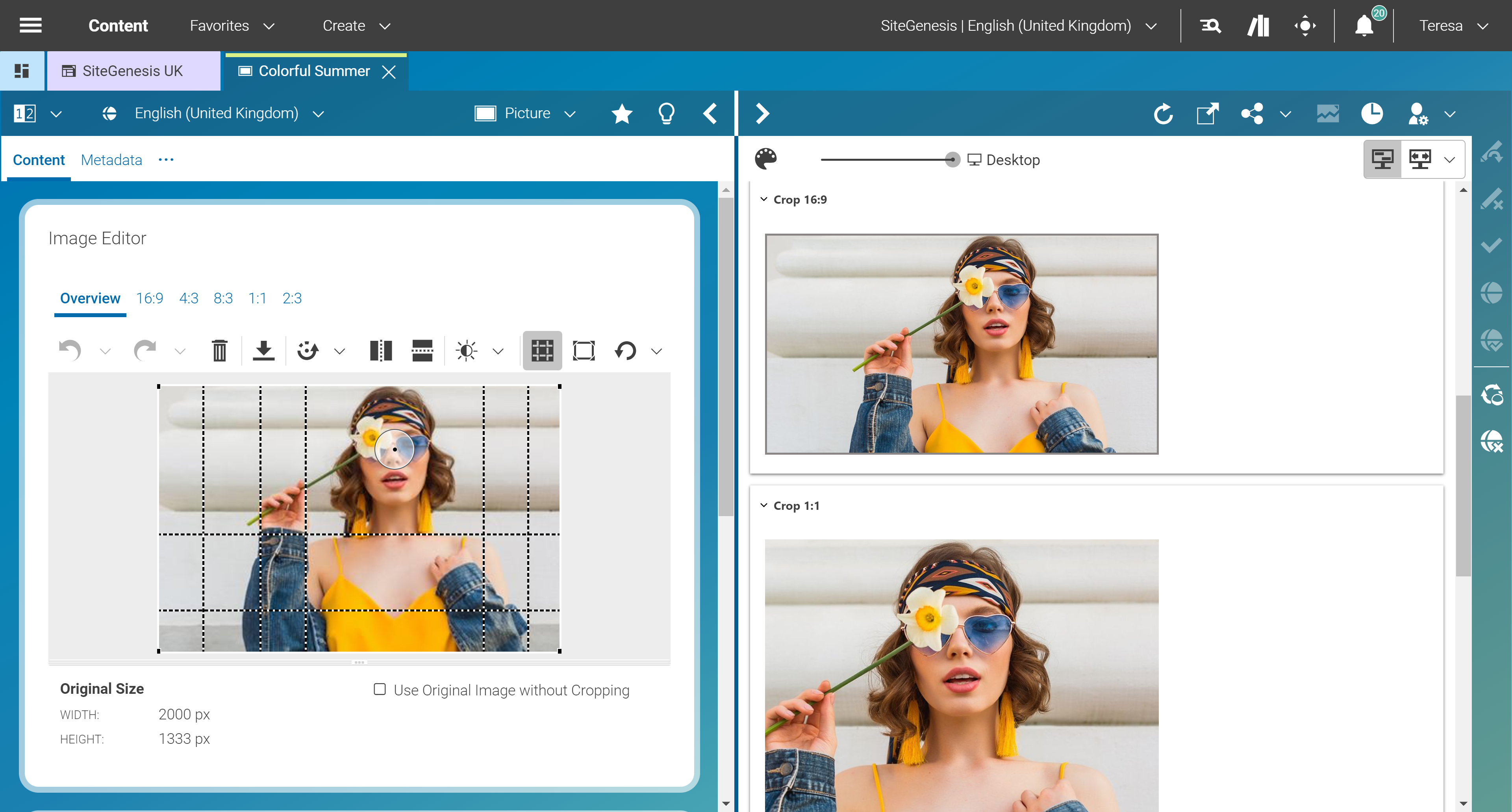
a refreshed UI and suite of feature enhancements make the user experience even more enjoyable, efficient, and effective.
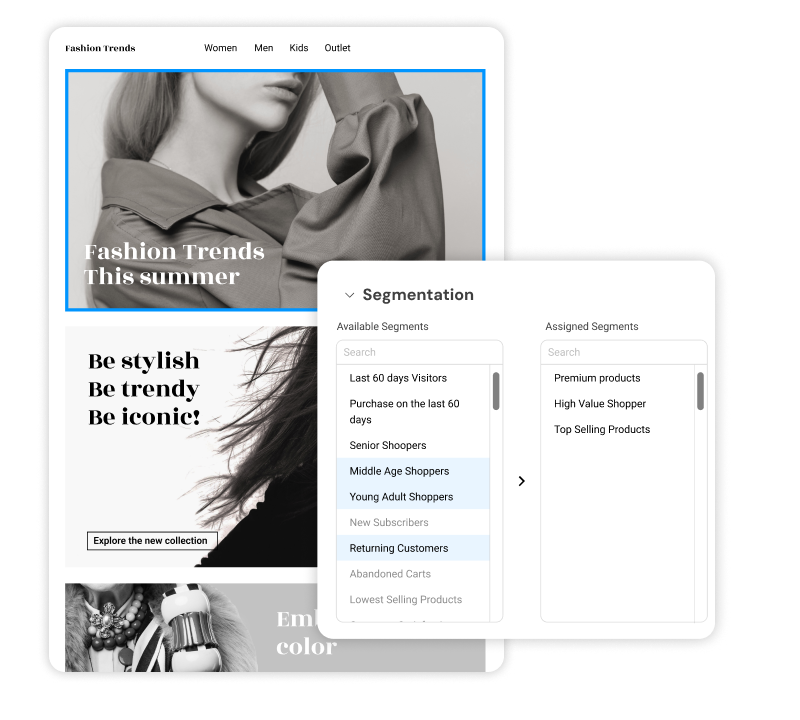
CoreMedia's native personalization and A/B Testing: Real-time experimentation where content decisions are made.
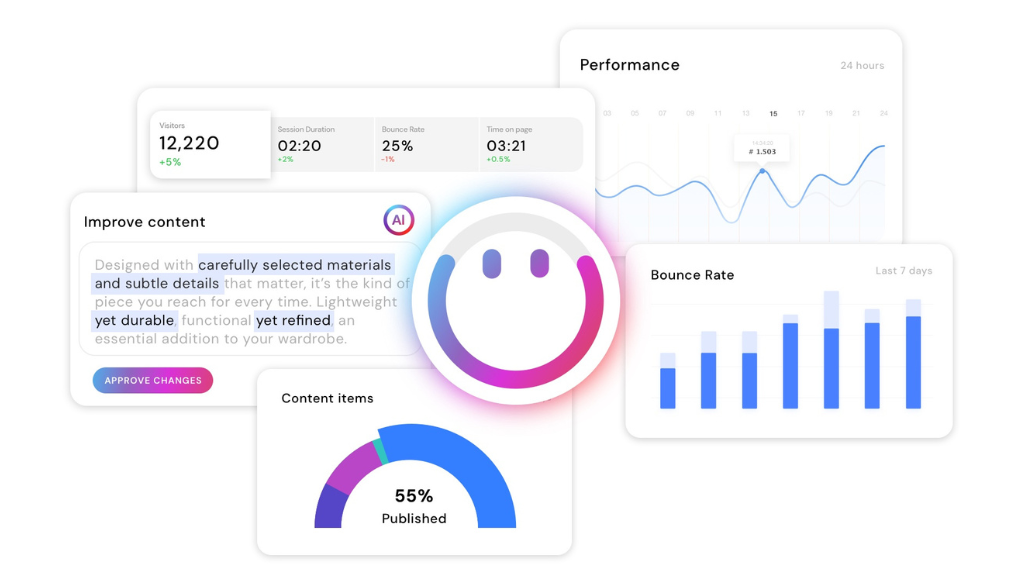
where CoreMedia consolidates essential performance data into a unified, customizable dashboard, right where content resides. Customizable dashboards highlight the KPIs that matter: Web performance; Business KPIs; Technical health.

1 / 3

Top Performing Features

  • WYSIWYG editor

    What-You-See-Is-What-You-Get editing tool allows users to build pages without writing code.

    Category average: 8.1

  • Publishing workflow

    The software allows users to set up a custom workflow for updating the website, including approval processes.

    Category average: 8.1

  • API

    An API (application programming interface) provides a standard programming interface for connecting third-party systems to the software for data creation, access, updating and/or deletion.

    Category average: 8.2

Areas for Improvement

  • SEO support

    The CMS helps users create the right website infrastructure (pagination, page headers, titles, meta tags, url structure, etc.) to increase the site’s visibility in search engine results.

    Category average: 7.2

  • Bulk management

    Users can change an attribute on a group of documents or sites all at once through features such as global search and replace, making bulk changes easier.

    Category average: 7.7

  • Page templates

    The CMS has standard webpage templates or types of web pages (e.g. homepage, article page, interior page, blog page, etc.); users can also build custom templates.

    Category average: 8.1

CoreMedia is fast, flexible and (yup, I'll say it) fun!

Pros

  • Shows what you're going to see immediately in a side-by-side screen.
  • Allows for easy standardization of content look/feel.
  • Permissions are easy to maintain.

Cons

  • Early learning within the company was slow.
  • We elected a customized version of CoreMedia - which in the end may not have been the best decision.

Return on Investment

  • Once trained, users really ramp up, but getting them to switch mindsets has not been easy or painless.
  • We can easily show ROI with add-ons and increasingly do so.
  • Since it's a very large site, we have to go a bit slower than everyone would like in terms of the roll-out.

Great for developers of large sites; lacking for contributors/editors

Pros

  • CoreMedia is a robust system that can manage large sites with multiple, well-organized subsites.
  • CoreMedia has a built-in workflow system that functions well for a distributed contributor model.

Cons

  • CoreMedia, although robust, is also complex. It is not easy to teach or learn, especially when a contributor is not in the system on a daily basis.
  • The user interface is built with developers in mind, but not with contributors in mind. It is hard to navigate and not easy to learn or remember.
  • Some of the terms are confusing. With the translation from German to English, not everything was translated well for an English-based American user base and it is easy to get confused whether one is, for example, marking something for deletion or actually deleting something.

CoreMedia is Great for Contributors and for Developers

Pros

  • Integrates well with existing infrastructure and software applications. We leveraged ActiveDirectory authentication, a Solr search engine, Java/Spring, Oracle, and other technologies.
  • Allows for multiple workflows for content publishing based on user roles. Each of our sites has separate workflows and allow for managed and unmanaged content production.
  • Templating system is extremely customizable without being unmanageable. This allows developers to custom tailor content and presentation without worry about performance.

Cons

  • Some technical concepts require quite a bit of learning. There is very good training and documentation available, but you will need a strong team of developers to leverage all the features of CoreMedia.

Return on Investment

  • The overhead of maintaining a 16,000+ page site is minimal now where it was entirely unmanageable previously.

Consistency is key

Pros

  • Easy to use for beginners, because the software is straightforward and easy to learn.
  • The input to output is consistent - when editing for a webpage, you know what to expect.
  • The program helps streamline the web development process and works to achieve fast, consistent results.

Cons

  • Every so often, there would be issues with HTML, that were occasionally difficult to troubleshoot.
  • Suggest having a preview feature that would show exactly what the website will look like after changes are implemented.
  • Add direct social media feature.

Return on Investment

  • Increased employee efficiency.
  • Fast time to achieve results saves company money.
  • Better constituent relations.

Not the Biggest Fan of CoreMedia... At Times

Pros

  • Allows many staff members to contribute content to various portions of our website, and allows our Electronic-Communications staff to delegate tasks to these various staff (diffusing the work-load).
  • CoreMedia allows for easy creation of different types of content (like teasers, articles, download objects, links, etc). Permission levels can be set, so only certain staff can upload content such as photos, videos, or audio files.
  • The CoreMedia workflow process is easy to understand and follow. Once a staff member has submitted content for publishing to the web, they can then see who it's been assigned to for review, and at what time. You're able to leave detailed notes and stay abreast of where the workflow is at any given time.

Cons

  • Where content lives within CoreMedia can often be confusing (i.e. you have created an article, but are linking to content in another folder that might be completely unrelated). Navigating to and from different content folders can be frustrating and often confusing on where the content "lives" versus where it is posted on the website.
  • Formatting is CoreMedia is less than desirable. You have minimal options for headings and other formatting options, resulting in a dull, or boring website. Several of the formatting functions don't work across different browsers, for example, bullet points.
  • Because some users are granted different permissions levels, staff often have to wait in order for an admin user to assist with certain aspects of their workflow. There should be a button, or option to submit an urgent request on an item from within CoreMedia, rather than having to email colleagues via Outlook. Additionally, there could be an added level of permissions for basic users, more advanced users, and then the admins of the system who ultimately publish content.

Return on Investment

  • Increased employee efficiency
  • Sometimes unsatisfactory reviews from users because our site is hard to navigate or it looks "old"
  • Increased organization of content. Although this is still an issue we're working to fix, there is the potential to be more organized in CoreMedia.