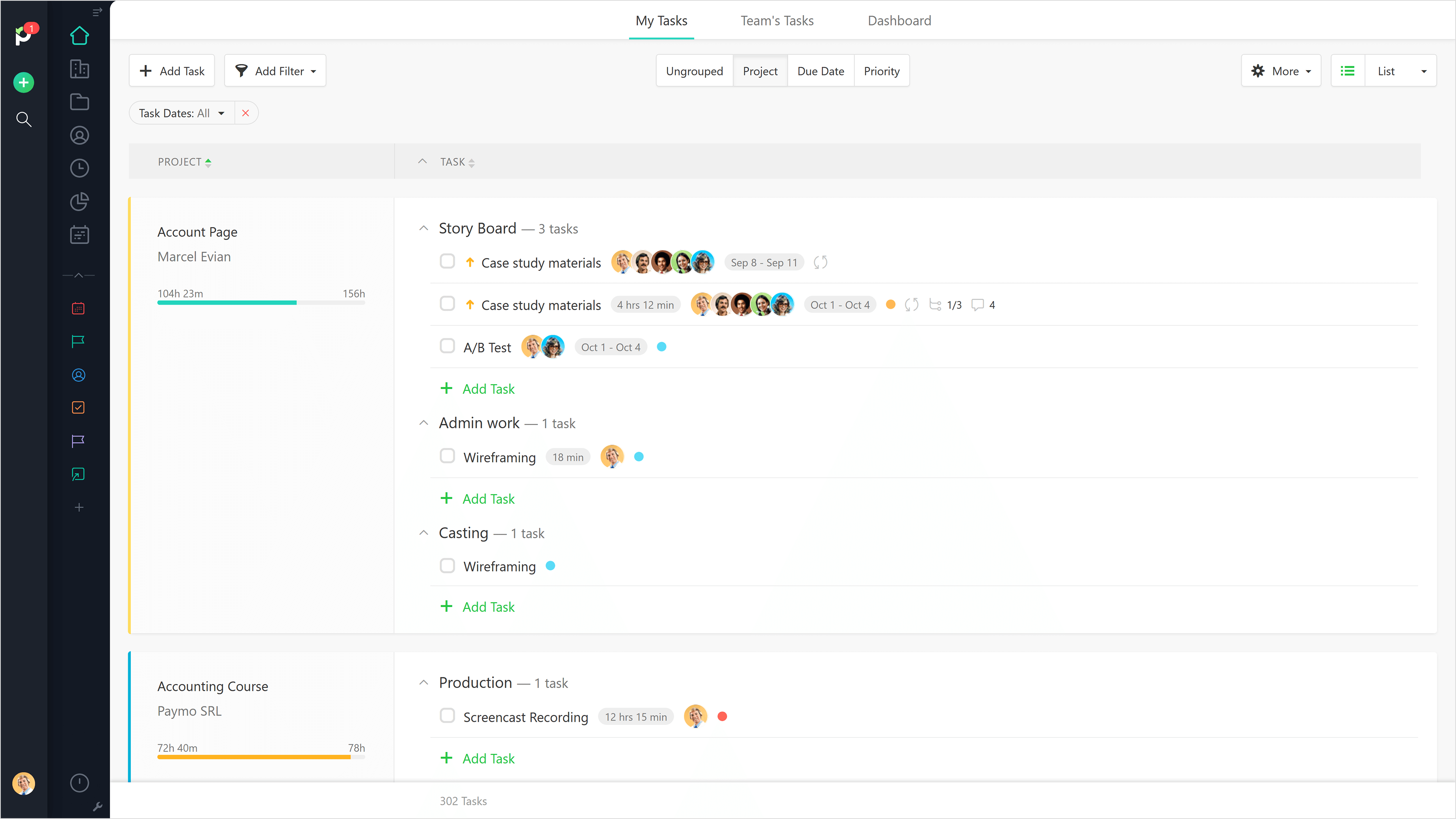
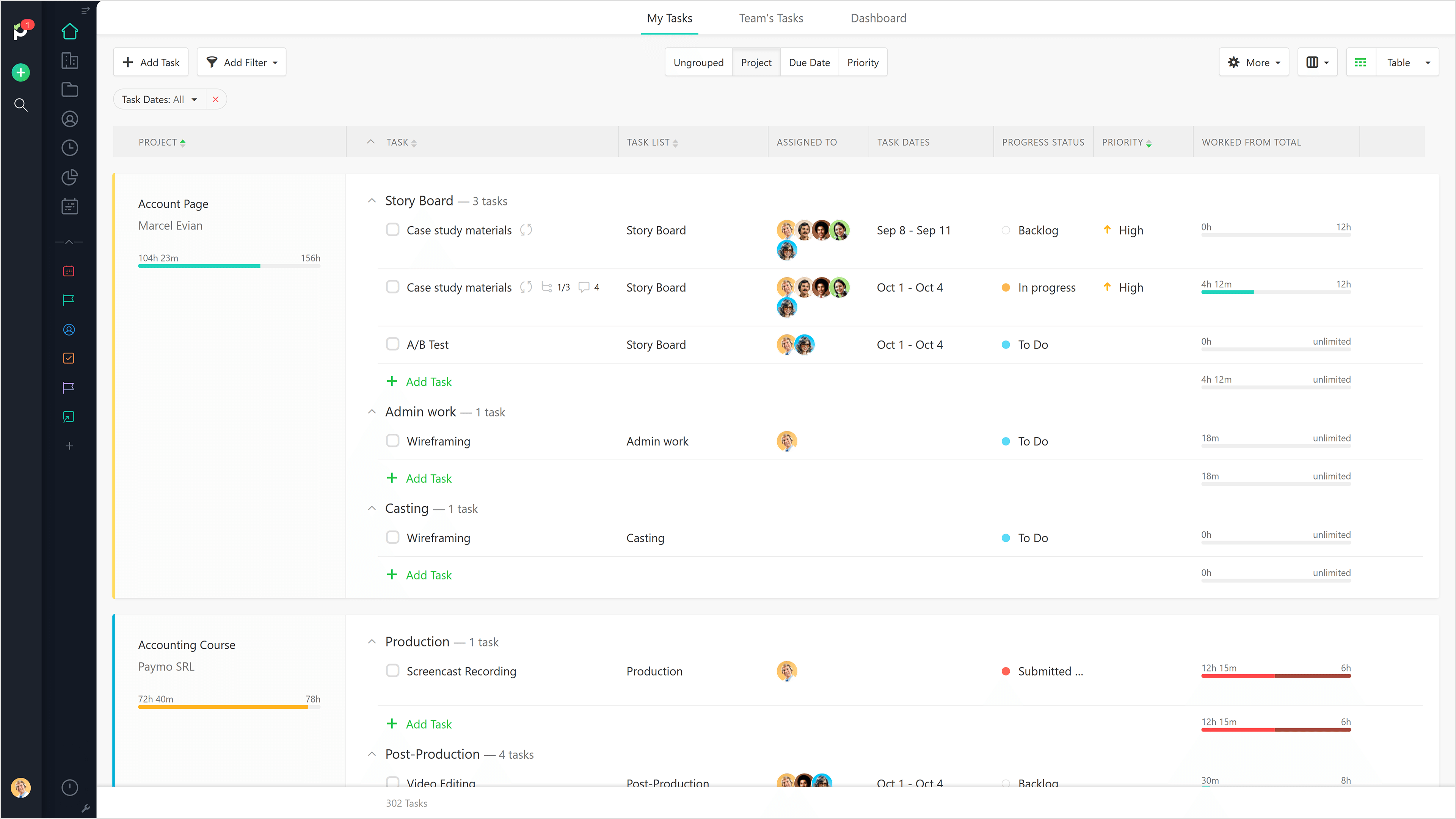
Paymo is a collaborative work management platform that helps track team progress, collaborate in context, and make smarter decisions. It acts as a single source of truth, where project planning, resource scheduling, file proofing, time tracking, and billing feed into each other to co-exist under the same roof.
$0
Up to 10 users
Smartsheet
Score 8.3 out of 10
N/A
Smartsheet is an online project management and collaboration tool. It includes automated alerts, instantaneous updating and sharing across team members, resource management, nested tasks organized in a hierarchy, a Gantt chart view, exportable and automated reports, and integration with email.
$12
per month per user (up to 10 users)
Pricing
Paymo
Smartsheet
Editions & Modules
Free
$0
Up to 10 users
Small Office
$11.95
per user/per month
Business
$18.95
per user/per month
Pro
$12
per month per user (up to 10 users)
Business
$24
per month per user (3 user minimum)
Enterprise
Contact Sales
Advanced Work Management
Contact Sales
Offerings
Pricing Offerings
Paymo
Smartsheet
Free Trial
Yes
Yes
Free/Freemium Version
Yes
No
Premium Consulting/Integration Services
No
No
Entry-level Setup Fee
No setup fee
No setup fee
Additional Details
Free version available for freelancers.
A discount is offered for annual billing.
More Pricing Information
Community Pulse
Paymo
Smartsheet
Features
Paymo
Smartsheet
Project Management
Comparison of Project Management features of Product A and Product B
Paymo
5.9
9 Ratings
27% below category average
Smartsheet
9.1
129 Ratings
16% above category average
Task Management
3.59 Ratings
9.8126 Ratings
Resource Management
5.36 Ratings
9.8108 Ratings
Gantt Charts
4.43 Ratings
9.0109 Ratings
Scheduling
7.06 Ratings
9.8111 Ratings
Team Collaboration
4.16 Ratings
10.0122 Ratings
Support for Waterfall Methodology
7.82 Ratings
9.079 Ratings
Document Management
5.06 Ratings
9.2101 Ratings
Email integration
5.04 Ratings
9.1100 Ratings
Mobile Access
5.37 Ratings
8.096 Ratings
Timesheet Tracking
9.09 Ratings
9.762 Ratings
Budget and Expense Management
8.88 Ratings
8.275 Ratings
Workflow Automation
00 Ratings
9.1100 Ratings
Support for Agile Methodology
00 Ratings
8.681 Ratings
Change request and Case Management
00 Ratings
8.269 Ratings
Professional Services Automation
Comparison of Professional Services Automation features of Product A and Product B
Beautiful interface throughout, easy setup, most natural progressions are fluid and easy to use. Browser functionality allows us to use it cross-platform. Very reasonable pricing model as well. We have had a little trouble using Paymo for the entire creative process to have proofs reviewed and approved. Also, have to use external forms to have work submitted from campus.
Smartsheet shines for collaboration. When you have multiple people involved with planning events Smartsheet makes it easy to share and collaborate. For instance, multiple people can be in Smartsheet working at the same time. Also setting permissions for exactly those who need to know is quite easy with Smartsheet. For data analytics and general spreadsheet purposes Excel is better but for project management and event planning Smartsheet is superior
The ability to code exactly what time I worked on a project enables me to bill clients more accurately and within different minimums, which besides more accurately tracking time, this has been extremely helpful as I negotiate contracts for services and offer different deals with potential clients. Some are billed to the minute, some in 15-minute minimums, and some in 20-minute blocks.
The live reports are great, showing time spent in the minimums that I've set, while also including as much detail as I wish to share.
I've now started just writing my notes into the tracker, which are then carried into the live reports - this eases my needing to send logs to clients, as well as helping me to keep projects on track.
Its hard to overstate the value of familiarity. Being able to use a tool that has some familiarity takes away the time needed to train and orient employees on a new tool and allows an organization to hit the ground running.
Smartsheet covers most of the basics of a project management tool, the usual tasks, milestones and project viewing options.
For data viewing, you get multiple data viewing options including a calendar view (good for marketing teams and those who work around scheduling), Kanban, Gaant etc
It would be really helpful if on the timer tool, they asked you to switch projects when you stop the timer, so it could fill that time in right away for you.
I never use the 'My Tasks' because I don't fully understand how to integrate it to be useful to what our purposes are in Paymo. Some Youtube tutorials might be helpful
Smartsheet set up is similar to Excel, yet when you upload an Excel file, things like conditional formatting are lost. Smartsheet has its own conditional formatting, and you have to reinstate the rules. It would be great if those would apply automatically once a file is uploaded
Some Smartsheet management and access rules can take some tweaking to work properly. This may be a case of offering more info to admins so they can apply these better and with more efficiency
It definitely meets our needs as far as organizing and archiving our tasks and files. As we train more staff to view it, I see opportunities for more improvement, which I am sure this program can handle. I look forward to seeing continued improvement from Smartsheet on their capabilities and functionality.
It is a complete, a bit overambitious app but with many features that are needed. I didn't need most of the features but managed to make the most of the two I was using. Also, I think it is a well-rounded app and I am considering moving some team collab there.
Smartsheet is very easy to learn. However, while I have been able to pick it easily, Microsoft Excel and Project super users that I have trained on Smartsheet get bogged down in the differences and can find it frustrating. Explaining the differences ahead of time and why Smartsheet is being chosen instead of a different software seems to counteract those reactions
Good! Fast, excellent, speedy responses. They always wanted to know why and how they could improve on something (good on receiving feedback, too). Not that they were much needed, but my limited experience with them is good; they were really keen to understand what the problem was really about and how they could help with it.
I give this rating because it fills a niche in the market. MS Project scares many away from proper task management but there are limited tools our there, especially cloud-based that are mobile-friendly. Smartsheet fills this market gap, especially for small to medium-sized businesses. IT is not fair to compare it to MS Project, but fairer to see what gaps it fills.
It's absolutely paramount to take a few minutes to actually play with the software. It's nearly impossible to do anything wrong or make a mistake which cannot be fixed easily. Under the help menu is Live Training option. After you familiarize yourself with the commands, watch the live training for some in depth understanding of how to make the software fit your needs perfectly.
We still use Trello and Slack, but Basecamp and HubSpot are too much for our operation to manage or integrate. Paymo is missing some of the tracking features of HubSpot and isn't as universally used as Basecamp but we've been with them for 8 years and they seem to know what matters most to their user base
Jira and Redmine are much more robust and technologically advanced project management solutions. I enjoy using either when managing a very large project. However, I prefer to use Smartsheet for my smaller to medium sized projects. As for Google Drive - I would say that Google sheets and Smartsheet are almost identical in my opinion when it comes to functionality. Personally I prefer to manage smaller projects via Google Drive, but it is a personal preference!
Gives me more accurate time that I've spent on projects compared to older methods I've used.
Has data that I can pull together, for example my boss wanted to know the percentage of time I'd spent working on projects for one client compared to everything else - I was able to give them an accurate percentage.
Forces you to stay on top of jobs, which can lengthen the time to complete something