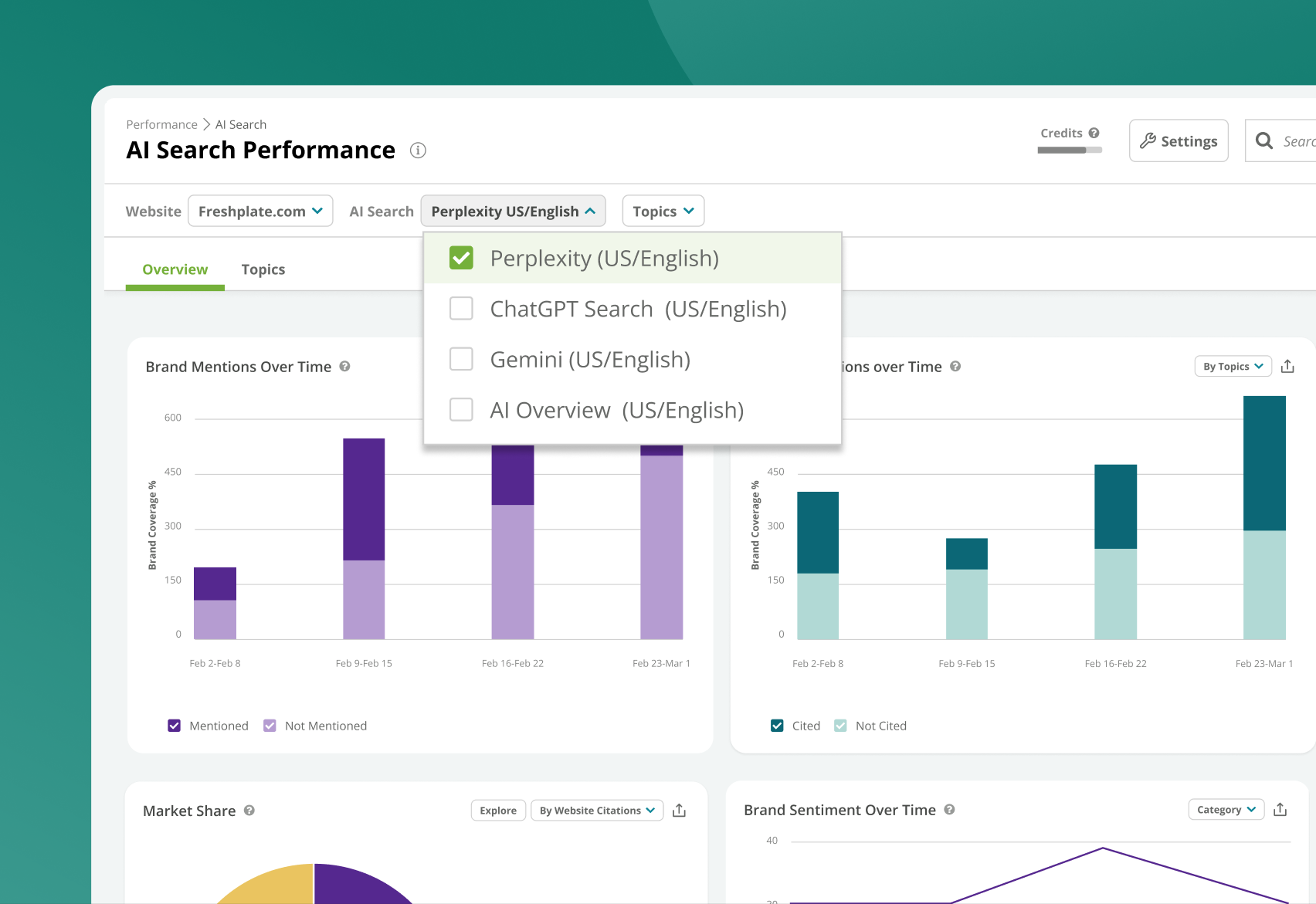
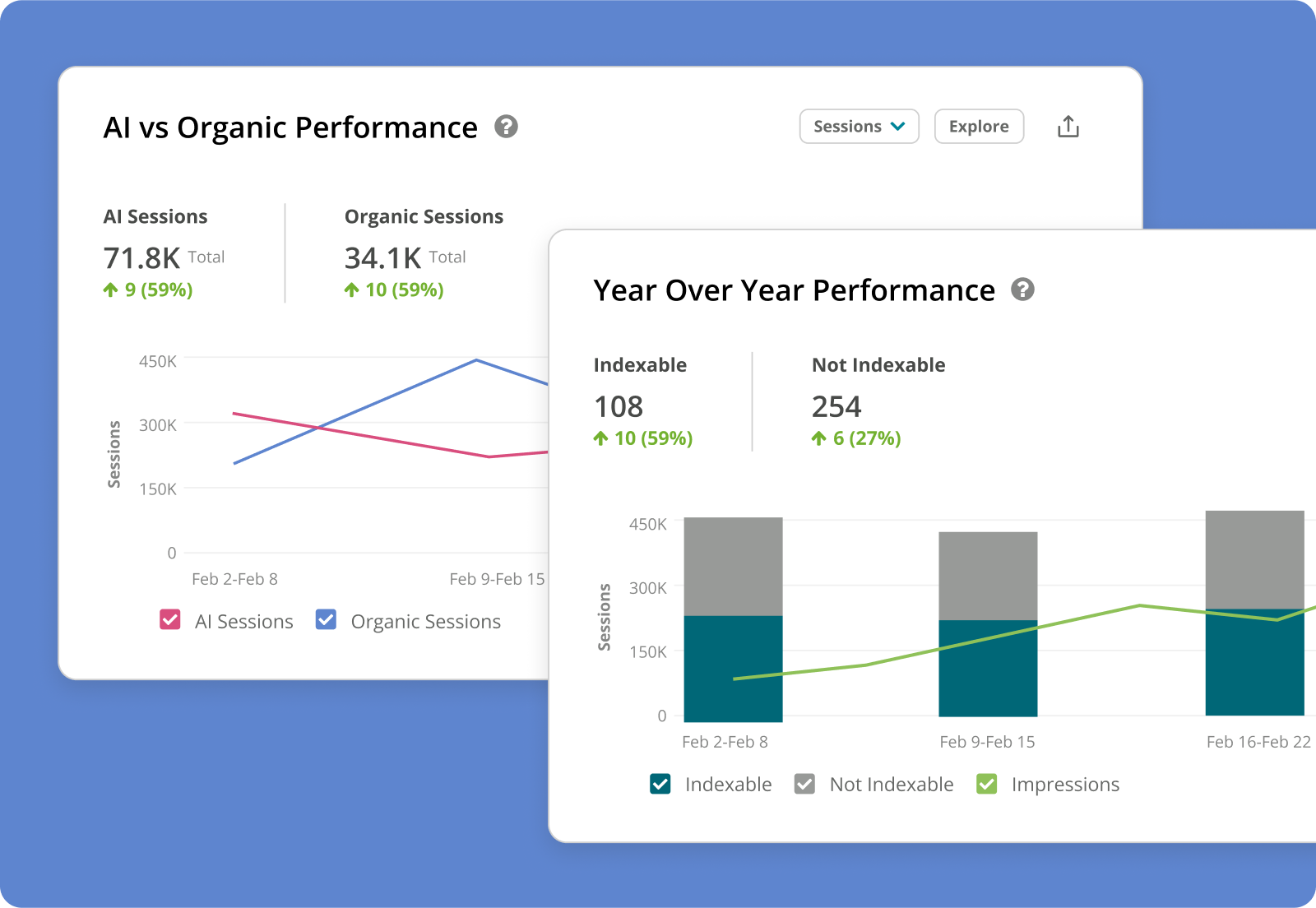
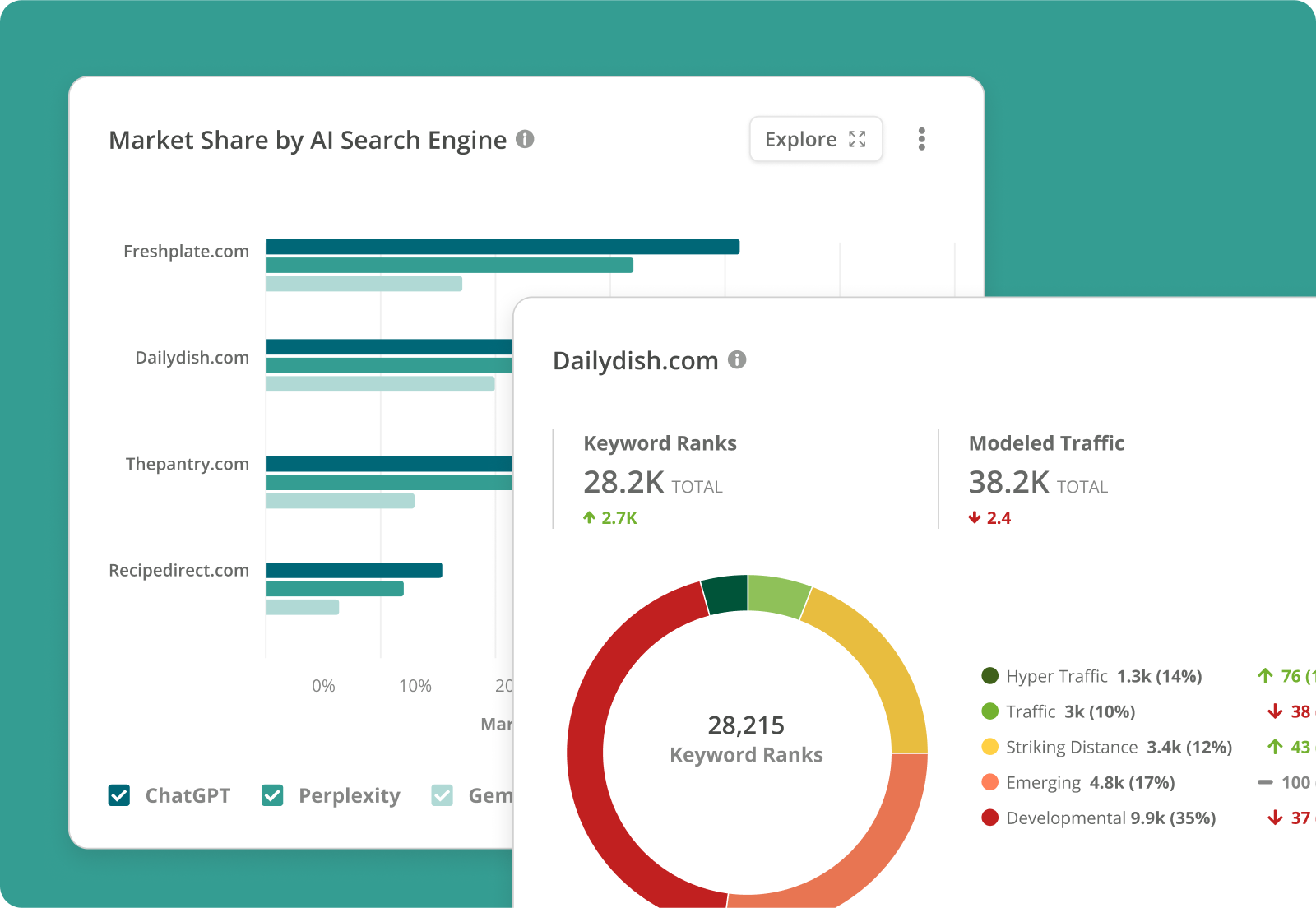
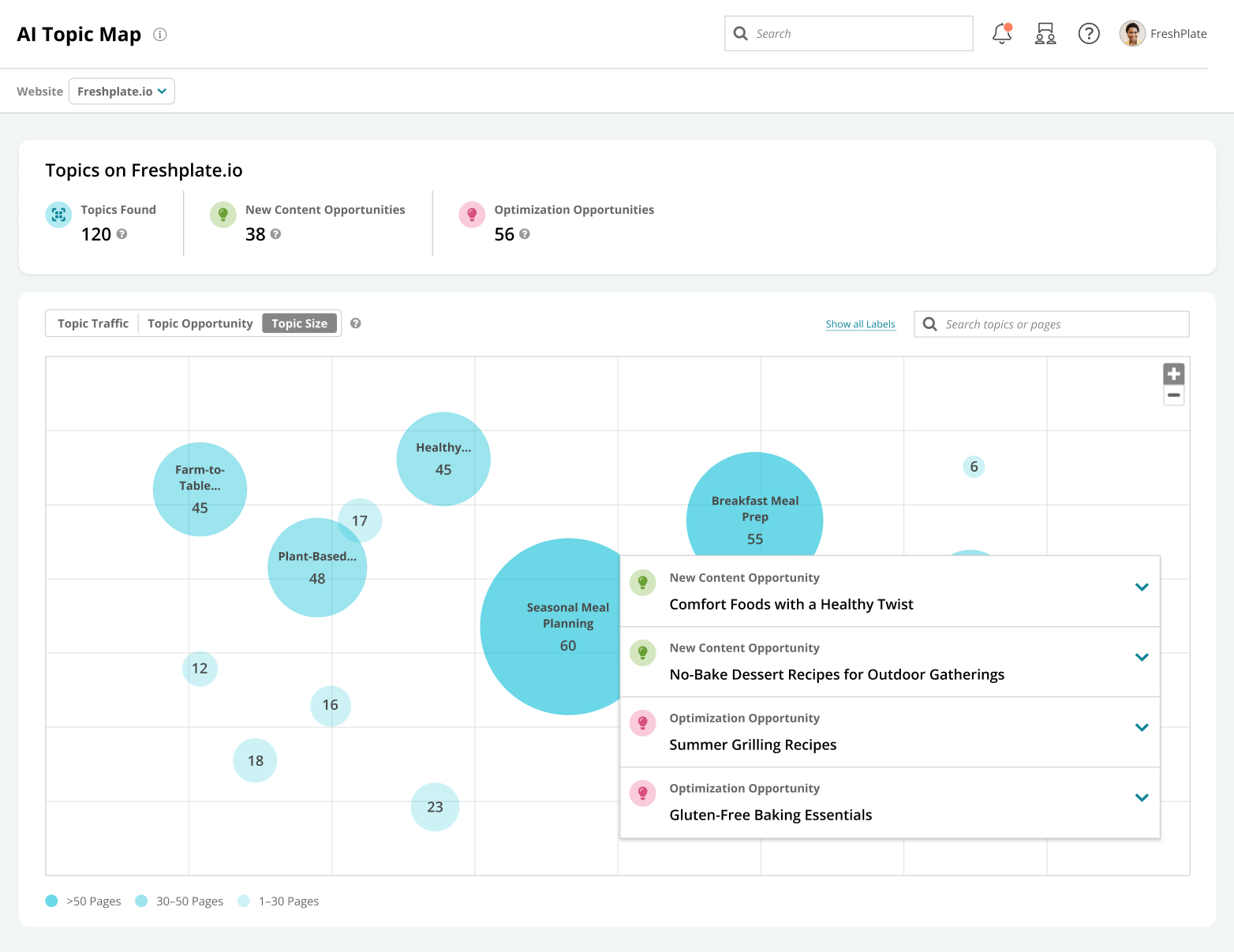
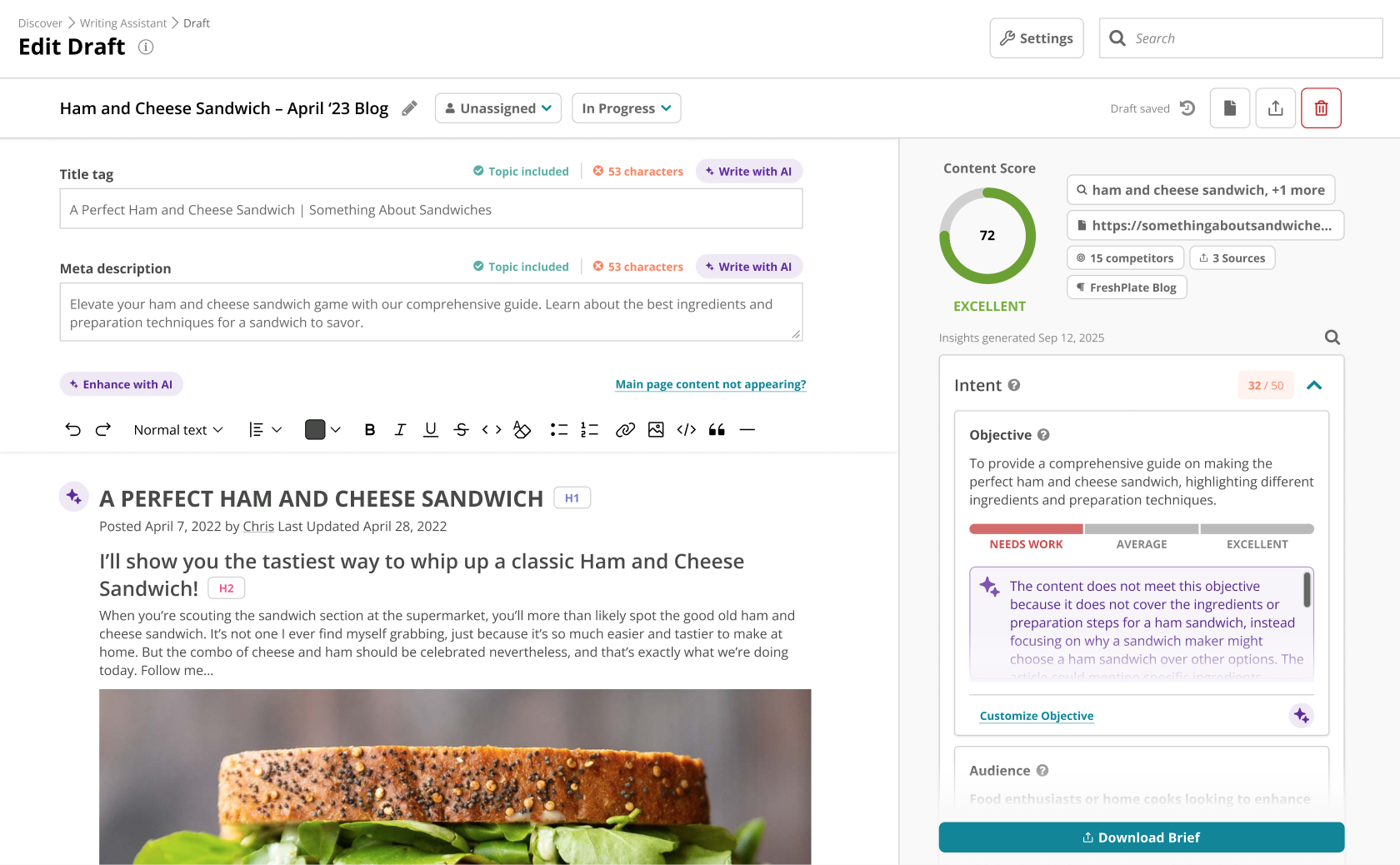
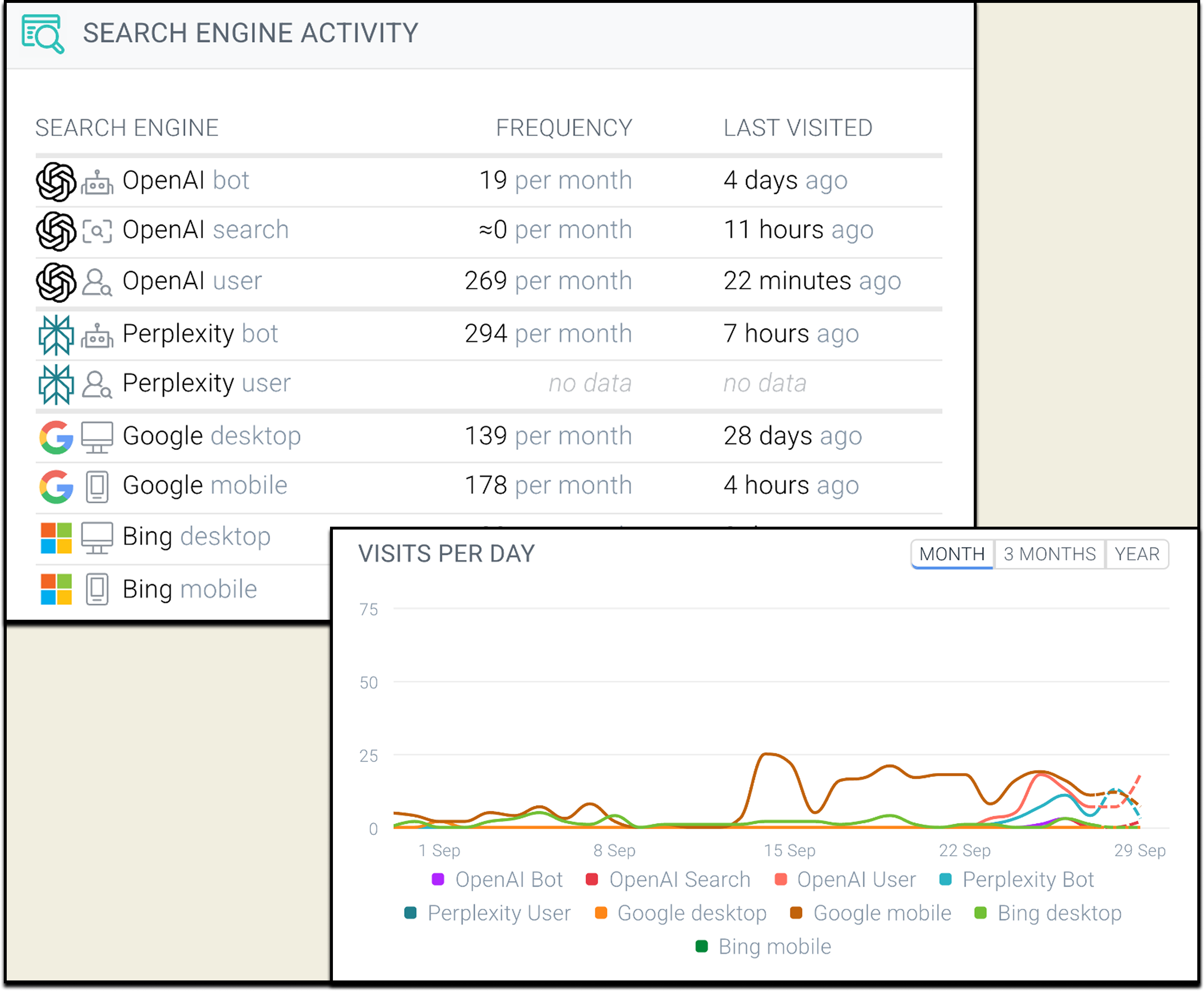
Conductor is an enterprise AEO platform that provides unified AEO & SEO intelligence, scaled AI content generation, and real-time website monitoring. From tracking visibility in LLMs to technical health and content optimization, Conductor’s platform empowers teams to increase authority and visibility in AI and traditional search and accelerate digital growth. Conductor states its current customers include global brands such as SAP, e.l.f Cosmetics, FedEx, and Mastercard.
N/A
Google Trends
Score 8.5 out of 10
N/A
Google Trends is a search engine optimization software solution offered by .
I still regularly use other SEO platforms along with Conductor, which each have their own unique advantage. I think in terms of overall SEO strategy and measurement of SEO health, Conductor does the best job at providing helpful reports and bringing multiple data sources …
There really isn't a product I know of that does what Google Trends does. I do use https://soovle.com/ in a similar fashion. I recommend trying Soovle out for content ideation.
Conductor is a great tool to use when we're planning and optimizing content around specific trends. It also helps us track our on-going performance as well, which is great to help us improve. Conductor is less ideal for content that has a quick turnaround time or pieces where SEO isn't a priority, also if you're looking to manage content publishing directly. It's more useful when it comes to strategy and optimization for in-depth pieces.
Google Trends is great for research and planning, to analyse keyword demand and associated costs. It really does help plan to capture consumer demand. It can be a little tricky to use, as the UX design isn't brilliant, so you'll need to learn how to navigate the website.
When I need to quickly determine what Google features our keywords are ranking for: Featured Snippets, Carousels, Rich Snippets, Sitelinks, PAA boxes, etc.
The ability to create highly customizable dashboards that provide a one-page view of insights for the specific web properties you are tracking.
A content guidance tool that is unmatched by any other product available in the market.
I love how Google Trends presents the popularity of a specific query by location. For example, my product may be more popular or more "searched" in a specific state or city. This helps a lot for direct mail campaigns or any sort of in-person marketing efforts like events or pop-ups. You could use the information from Google Trends to decide what locations will be more receptive of your product/industry or you could see where people have little to no interest and build a brand awareness campaign focusing on those areas.
Another great feature within Google Trends is that it shows "Related Queries", which are basically suggestions of better keywords or phrases to incorporate into your content. If you search for data on a keyword you're using that's too broad (your content won't stand out among other web pages) or too narrow (not many potential customers are searching that keyword or phrase), Google Trends will suggest a related keyword or phrase that is more appropriate or trending at the moment. You could go back and incorporate these phrases into your content so that it's more likely to be found on search engines.
Within the Google Trends "Related Topics" section, you can choose whether you want to see topics that are "Top" or "Rising". I like this feature because looking at a "Rising" topic can help you create content that's more likely to be seen - especially if you're a beginner. Most topics that are in the "Top" category can have thousands of web pages that you're competing against and you can feel like your content is drowning. But the topics in the "rising" category can be great for newer sites that haven't developed authority online yet. You can write on one of these topics and be one of the first sites to create content on that topic, which gives you a head start over other sites.
Google Trends "Categories" is also a great feature. If you don't have any content ideas for your website, you can easily find inspiration by selecting a category that's relevant to your industry. The top keywords or topics will come up and you can create content on those topics to increase your number of web visitors. For example, if you work in the fashion industry and you don't have content ideas, you can have Google Trends generate data for the "Beauty & Fitness" or "Shopping" categories to see what's trending. Google will tell you if a specific brand, person, or event is trending and you could write an article based on one of those trends. Since people are searching for that topic, your content will be seen. This is a great way to create timely content even if you're new to an industry or simply haven't kept up with it.
Backlink tracking/reporting (would like to see backlinks more easily and maybe backlink opportunities if possible)
Custom content briefs (right now I move the brief from the platform version into our own in-house Word doc template because it is more detailed. Would love to be able to customize the brief that is set up within Conductor so that we can do it all in one place.)
It would be nice to have breadcrumbs available so that I can go backward in a particular search. One I click a topic and then click the related terms two or three times, I find that I'm so far down the rabbit hole that the "Back" button in my browser is a really inconvenient way to find my way back to a certain stage of my search. If there were breadcrumbs I could jump directly back to a particular stage and chase another rabbit from there.
It's easy to get lost searching in here for an extended period of time. I would be nice to be able to print a report of my whole session when I have finished.
It would be nice to have a Top Tends board of job searches or other information related to jobs that are currently popular Google searches.
Conductor enables high-value SEO activity. There are a lot of moving parts in SEO and I'm always open to products that fit our requirements, but Conductor has built a stronger argument for its value after we subscribed than it had when we subscribed -- that's rare.
I check features like the InsightStream every Monday to monitor any major losses or gains in performance. These are easily digested and save me tons of time searching for these insights manually. If there's anything "worth calling home about" I can easily add insights into a workspace and create a report to communicate these results. It's super easy to use Conductor with a team and across departments.
Google Trends is very easy to use. you just search for a certain keyword or phrase, and it tells you how often that keyword or phrase is searched, where in the world it is searched, and over the last decade, how often it is per year.
The Conductor support team is excellent, especially our Customer Success manager. Our monthly calls to review our wins, losses, and key takeaways for the next steps are incredibly helpful, and Conductor's platform provides not only an organic search tool for our company but also a learning resource via our Customer Success calls.
I haven't needed to use any support for Google Trends. However, I've used Google's support in general and it's a hit or miss. Usually, there's a long wait or they don't understand my problem. They are the only ones that can help, so sometimes I feel stuck. They prioritize paying customers for sure.
Our in house SEO manager trained everyone. It was easy to learn and he was well versed with the product. Any questions we had he was able to answer or reach out to support to find the answer
I definitely recommend their professional services for getting started. It got our account 90% of the way to where we needed to be in order to gain value from it. In fact, I'd suggest that with few exceptions (such as, you have a staff that is already familiar with the platform and doesn't need any help), the quick start services over the first 30-90 days should be a standard part of onboarding with any new client. It definitely got us to the point of gaining ROI from the solution and, in turn, will make it easier to justify renewal and continued investment in it.
We didn't use another product previously, we used an agency that did everything for us, so bringing Organic SEO in-house was why we went with Conductor. I have used other products in other roles and at other companies and each has its strengths. Conductor is good for large enterprises
Google Trends is a great place to start in the content curation, content research, blog post writing, and resource page creation process. It is not, however, a place to do serious SEO optimization. Tools like Moz, or Analytics SEO would be a better place to go after you do initial research on Google Trends to dial in your keywords, and optimize content for search engines.
Conductor helped us aim at low hanging fruits for quick wins, which increased our traffic
With Conductor's tool, it was easy to look at general keywords where we were already ranking, but not good enough, and then focus around what we could do to increase our positioning
All this extra traffic, gave us more leads, therefore more sales!