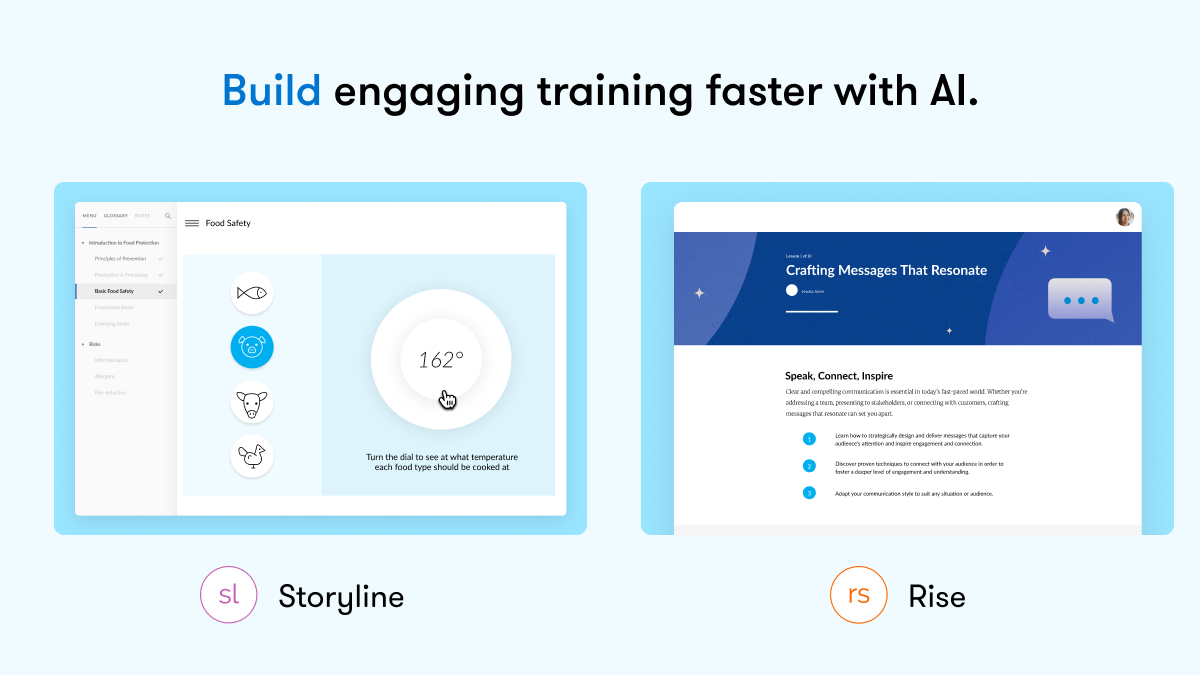
Articulate 360 is an e-learning platform for creating workplace training. Users can build engaging courses with AI-enhanced authoring, simplify collaboration, and quickly share content. A subscription includes robust onboarding resources and access to a community of 1.5M pros.
$1,449
per year per user
iSpring Suite
Score7.5 out of 10
N/A
iSpring Suite is an authoring tool with AI-assisted features for creating slide-based online courses, quizzes, and video lessons in Microsoft PowerPoint. Instructional designers, corporate L&D and HR teams, educators, and independent course developers can build training content without relying on multiple specialized tools. iSpring Suite enables users to: Generate a course from a topic. Users can describe what to teach or upload subject-matter-expert notes, slides, and PDFs.…
$970
per year per user
Pricing
Articulate 360
iSpring Suite
Editions & Modules
Articulate 360 AI - Personal Plan
$1,449
per year
Articulate 360 AI - Teams Plan
$1,749
per year
Frontline
Starting at $500
No answers on this topic
Offerings
Pricing Offerings
Articulate 360
iSpring Suite
Free Trial
Yes
Yes
Free/Freemium Version
No
Yes
Premium Consulting/Integration Services
No
No
Entry-level Setup Fee
Optional
No setup fee
Additional Details
If you’re new to Articulate 360, you can try it out free of charge. After the trial period is over, you can subscribe to one of the following packages:
Articulate 360 AI
Teams plan: $1,749 per user per year
Rise: Build beautiful training that automatically adapts to every screen
Storyline: Create deeply custom, interactive courses
AI generation: Guide AI to draft complete courses and other formats from source material
Collaboration: Get stakeholder input, share for review, and finalize faster
Integrations: Stay in your flow of work with connections to Google Drive, OneDrive, Claude, ChatGPT, and more
Flexible distribution: Share trackable links, export to your LMS, use our native LMS—Reach—or download in more formats
AI tutor: Give learners personalized, in-context guidance and coaching
Analytics: Track engagement and completion, with insights to improve effectiveness
Advanced workflows available with credits (purchased separately)
Personal plan: $1,449 per user per year
Rise: Build beautiful training that automatically adapts to every screen
Storyline: Create deeply custom, interactive courses
AI generation: Guide AI to draft complete courses and other formats from source material
Review: Get stakeholder input, share for review, and finalize faster
Integrations: Stay in your flow of work with connections to Google Drive, OneDrive, Claude, ChatGPT, and more
Flexible distribution: Share trackable links, export to your LMS, use our native LMS—Reach—or download in more formats
AI tutor: Give learners personalized, in-context guidance and coaching
Analytics: Track engagement and completion, with insights to improve effectiveness
Advanced workflows available with credits (purchased separately)
Frontline: Starting at $500
Complete training kits: Turn source content into a connected set of training assets, with the right mix of formats chosen for what you're trying to teach
Formats that fit the job: Create training decks, guides, scenarios, interactive videos, and quick references, each built for a different training need
Quick updates and editing: Use AI to quickly update a whole kit, individual format, or specific sections
Insights and analytics: Gather data from surveys, track engagement and completion, and see what questions your team has to improve effectiveness
Easy distribution: Share trackable links anywhere your team already works: Slack, Microsoft Teams, email, or text
Integrations: Stay in your flow of work with connections to Google Drive, OneDrive, Claude, ChatGPT, and more
AI avatars: Create presenter-led videos, no filming required
Multi-format translation: Translate each output into 80+ languages in a click
AI tutor: Give learners personalized, in-context guidance and coaching
Academic, non-profit, government and volume discounts are available.
A de minimis incentive was given to thank the reviewer for their time. The incentive was not used to bias or drive a particular response, nor was the incentive contingent on a positive endorsement. More Info
Verified User
Chose Articulate 360
No comparison. Articulate 360 is much easier to use and much faster to develop with
A de minimis incentive was given to thank the reviewer for their time. The incentive was not used to bias or drive a particular response, nor was the incentive contingent on a positive endorsement. More Info
A de minimis incentive was given to thank the reviewer for their time. The incentive was not used to bias or drive a particular response, nor was the incentive contingent on a positive endorsement. More Info
Verified User
Chose Articulate 360
Articulate is much easier to use and produces a better product in the end
A de minimis incentive was given to thank the reviewer for their time. The incentive was not used to bias or drive a particular response, nor was the incentive contingent on a positive endorsement. More Info
A de minimis incentive was given to thank the reviewer for their time. The incentive was not used to bias or drive a particular response, nor was the incentive contingent on a positive endorsement. More Info
A de minimis incentive was given to thank the reviewer for their time. The incentive was not used to bias or drive a particular response, nor was the incentive contingent on a positive endorsement. TR verified that a representative sample of customers was invited. More Info
A de minimis incentive was given to thank the reviewer for their time. The incentive was not used to bias or drive a particular response, nor was the incentive contingent on a positive endorsement. TR verified that a representative sample of customers was invited. More Info
A de minimis incentive was given to thank the reviewer for their time. The incentive was not used to bias or drive a particular response, nor was the incentive contingent on a positive endorsement. TR verified that a representative sample of customers was invited. More Info
iSpring gets me branching scenarios. I really wish it'd do branching video though. Genially is much more visually appealing but it's not as powerful as Storyline. dominKnow was at the forefront of responsive design, but as soon as Storyline incorporated that it lost its …
A de minimis incentive was given to thank the reviewer for their time. The incentive was not used to bias or drive a particular response, nor was the incentive contingent on a positive endorsement. TR verified that a representative sample of customers was invited. More Info
Verified User
Chose Articulate 360
iSpring, I believe, was inspired by Articulate 360 upon their first launch. Triggers were intuitive to use and easily captured PowerPoint animations and triggers when importing them into the system.
A de minimis incentive was given to thank the reviewer for their time. The incentive was not used to bias or drive a particular response, nor was the incentive contingent on a positive endorsement. TR verified that a representative sample of customers was invited. More Info
A de minimis incentive was given to thank the reviewer for their time. The incentive was not used to bias or drive a particular response, nor was the incentive contingent on a positive endorsement. TR verified that a representative sample of customers was invited. More Info
A de minimis incentive was given to thank the reviewer for their time. The incentive was not used to bias or drive a particular response, nor was the incentive contingent on a positive endorsement. TR verified that a representative sample of customers was invited. More Info
Verified User
Chose Articulate 360
It is better for content authoring and we can upload the SCORM file directly to our LMS.
A de minimis incentive was given to thank the reviewer for their time. The incentive was not used to bias or drive a particular response, nor was the incentive contingent on a positive endorsement. TR verified that a representative sample of customers was invited. More Info
A de minimis incentive was given to thank the reviewer for their time. The incentive was not used to bias or drive a particular response, nor was the incentive contingent on a positive endorsement. TR verified that a representative sample of customers was invited. More Info
People Development and Experience Manager in Human Resources at Total Expert (Computer Software, 201-500 employees)
Chose Articulate 360
The winning factor for Articulate 360 Rise was the ease of use and compatibility with Mac. I like the other 2, but iSpring requires a Windows-based computer and Captivate is pricier. Some other members of my organization use Articulate 360 Storyline, but I choose not to. It's …
A de minimis incentive was given to thank the reviewer for their time. The incentive was not used to bias or drive a particular response, nor was the incentive contingent on a positive endorsement. More Info
Verified User
Chose Articulate 360
Most of the other software don't have as many templates as Articulate 360. They are not as easy to use. Also, once you get an Articulate subscription, unless another software has a low price point or offers something unique there is no reason to change. I have not been …
A de minimis incentive was given to thank the reviewer for their time. The incentive was not used to bias or drive a particular response, nor was the incentive contingent on a positive endorsement. More Info
Verified User
Chose Articulate 360
Articulate 360 does stack up to iSpring, however, iSpring was more willing to help during COVID-19. Adobe Presenter does help, however, it struggles with its library of graphics. As for course building, I have tried CourseArc (more like a Learning Management System), WhizCabin …
A de minimis incentive was given to thank the reviewer for their time. The incentive was not used to bias or drive a particular response, nor was the incentive contingent on a positive endorsement. More Info
Diseñador Instruccional │ Experto Elearning in Research & Development at Unikemia (E-Learning, 11-50 employees)
Chose Articulate 360
Articulate has several complementary software to create different types of courses, however, iSpring can only create adaptive but non-responsive courses. iSpring has its advantages to produce very fast courses, but Articulate has many extra functions that allow you to customize …
A de minimis incentive was given to thank the reviewer for their time. The incentive was not used to bias or drive a particular response, nor was the incentive contingent on a positive endorsement. More Info
Senior Instructional Designer in Customer Service at Kerauno (Computer Software, 51-200 employees)
Chose Articulate 360
Articulate 360 provided a better experience than any of the other software programs out there that offered similar functionality. It was far easier to use than something like Captivate, while being similarly feature-rich. At the same time, it didn't lack the features of …
A de minimis incentive was given to thank the reviewer for their time. The incentive was not used to bias or drive a particular response, nor was the incentive contingent on a positive endorsement. More Info
Verified User
Chose Articulate 360
For the features and the price, you can't go wrong with Articulate 360. With the full suite of products, I have found that I use Rise to create simple courses and Storyline for more complex ones. After trialing Captivate and Storyline side by side, I found that creating was …
A de minimis incentive was given to thank the reviewer for their time. The incentive was not used to bias or drive a particular response, nor was the incentive contingent on a positive endorsement. More Info
A de minimis incentive was given to thank the reviewer for their time. The incentive was not used to bias or drive a particular response, nor was the incentive contingent on a positive endorsement. More Info
iSpring Solutions Inc
Verified User
Chose iSpring Suite
Articulate 360 offers Storyline in their suite, which is a much better tool for customized and advanced e-learning development, iSpring could compete with them in the field of responsive authoring tool (iSpring Page) and tools for stakeholder's reviewing.
A de minimis incentive was given to thank the reviewer for their time. The incentive was not used to bias or drive a particular response, nor was the incentive contingent on a positive endorsement. More Info
Independent Contractor in Professional Services at Confidential Company (E-Learning, 1-10 employees)
Chose iSpring Suite
Each tool has distinct features, and can be used for different types of content. The functionality of each tool, differs from iSpring Suite. However, iSpring for me works for slide-based courses, because of its ability to maximize PPT's animations and triggers or interactions. …
A de minimis incentive was given to thank the reviewer for their time. The incentive was not used to bias or drive a particular response, nor was the incentive contingent on a positive endorsement. More Info
IT Management Consulting in Customer Service at HiSolutions AG (Information Services, 201-500 employees)
Chose iSpring Suite
Compared to other applications, iSpring Suite is based on PowerPoint and therefore on a familiar way of working for creating content for knowledge transfer. This basis facilitates a very simple and uncomplicated transition to the new tool for new users. New users are quickly …
A de minimis incentive was given to thank the reviewer for their time. The incentive was not used to bias or drive a particular response, nor was the incentive contingent on a positive endorsement. More Info
Verified User
Chose iSpring Suite
So much simpler. Integrates well with PowerPoint so there is little learning curve. Articulate is more powerful but that level of detail is not required for most applications. The learning curve with Articulate is much larger.
A de minimis incentive was given to thank the reviewer for their time. The incentive was not used to bias or drive a particular response, nor was the incentive contingent on a positive endorsement. More Info
IT Manager in Information Technology at Cloud Aero Ltd (Airlines/Aviation, 1-10 employees)
Chose iSpring Suite
We have chosen iSpring Suite over Articulate partially due to cost but also iSpring Suite does not distort the PowerPoint templates we have made as it does not import them into itself rather it becomes a part of PowerPoint.
A de minimis incentive was given to thank the reviewer for their time. The incentive was not used to bias or drive a particular response, nor was the incentive contingent on a positive endorsement. More Info
Training and Employee Development Manager at Destination Transport, LLC (Logistics & Supply Chain, 51-200 employees)
Chose iSpring Suite
When comparing features, price point and ease of use, there was no question which I was choosing. iSpring Suite offered more features and was the easiest to use. Additionally, it was one of the most cost conscious choices. It was a no brainer!
A de minimis incentive was given to thank the reviewer for their time. The incentive was not used to bias or drive a particular response, nor was the incentive contingent on a positive endorsement. More Info
A de minimis incentive was given to thank the reviewer for their time. The incentive was not used to bias or drive a particular response, nor was the incentive contingent on a positive endorsement. More Info
A de minimis incentive was given to thank the reviewer for their time. The incentive was not used to bias or drive a particular response, nor was the incentive contingent on a positive endorsement. More Info
Verified User
Chose iSpring Suite
For us, it's really important to have the freedom to innovate by freeing our creativity through the functions offered by iSpring Suite. Other solutions don't offer the same flexibility as iSpring Suite, and for us this was an important factor in our choice of the Ispring …
A de minimis incentive was given to thank the reviewer for their time. The incentive was not used to bias or drive a particular response, nor was the incentive contingent on a positive endorsement. TR verified that a representative sample of customers was invited. More Info
Health and safety engineer at 3Conseils (Construction, 1-10 employees)
Chose iSpring Suite
A more attractive price, an easier-to-use platform for user monitoring and content publishing. Customer service is easily accessible in case of difficulty.
A de minimis incentive was given to thank the reviewer for their time. The incentive was not used to bias or drive a particular response, nor was the incentive contingent on a positive endorsement. More Info
Verified User
Chose iSpring Suite
Captivate is too complicated to use, you need a lot of knowledge in this tool to get good results, it is also quite expensive and you need a very powerful computer for it to work. Articulate is easier to use than Captivate, but it is also expensive and the learning curve is …
A de minimis incentive was given to thank the reviewer for their time. The incentive was not used to bias or drive a particular response, nor was the incentive contingent on a positive endorsement. More Info
Verified User
Chose iSpring Suite
iSprings offers competitive pricing and more value for your purchase.
A de minimis incentive was given to thank the reviewer for their time. The incentive was not used to bias or drive a particular response, nor was the incentive contingent on a positive endorsement. More Info
Training and Development Manager in Engineering at SECTT (Construction, 11-50 employees)
Chose iSpring Suite
I found this software more difficult to use, and had a steep learning curve, where I did not find this with iSpring Suite. Honestly could not believe how easy it was to use and get going. Support was great to get going with lots of webinars to watch for each type of content you …
A de minimis incentive was given to thank the reviewer for their time. The incentive was not used to bias or drive a particular response, nor was the incentive contingent on a positive endorsement. More Info
Verified User
Chose iSpring Suite
Ultimately, I selected iSpring Suite because of the ease of use and small learning curve. I needed to be able to start creating content immediately, and after doing trial periods with iSpring as well as some of the other options, it was clear that I could be up and running the …
A de minimis incentive was given to thank the reviewer for their time. The incentive was not used to bias or drive a particular response, nor was the incentive contingent on a positive endorsement. More Info
Verified User
Chose iSpring Suite
I like the webinars and the customer support available with ispring.
A de minimis incentive was given to thank the reviewer for their time. The incentive was not used to bias or drive a particular response, nor was the incentive contingent on a positive endorsement. More Info
A de minimis incentive was given to thank the reviewer for their time. The incentive was not used to bias or drive a particular response, nor was the incentive contingent on a positive endorsement. More Info
A de minimis incentive was given to thank the reviewer for their time. The incentive was not used to bias or drive a particular response, nor was the incentive contingent on a positive endorsement. More Info
eLearning Developer/LMS Administrator in Information Technology at ComNet Technical Solutions, Inc. (E-Learning, 11-50 employees)
Chose iSpring Suite
iSpring is superior in ease of use and speed of development. iSpring is easier to learn and implement. iSpring has the best support of any tool I have used.
A de minimis incentive was given to thank the reviewer for their time. The incentive was not used to bias or drive a particular response, nor was the incentive contingent on a positive endorsement. More Info
Técnico de formación elearning. Gestor FUNDAE in Corporate at ESCUELA DE FARMACIA (E-Learning, 1-10 employees)
Chose iSpring Suite
When we were working with Articulate we needed some technical experts to create javascript commands to make courses, so we needed 3 weeks at least to finish one of them. With iSpring Suite, you just need to work with PowerPoint, and you can create a great course in just 1 week!
A de minimis incentive was given to thank the reviewer for their time. The incentive was not used to bias or drive a particular response, nor was the incentive contingent on a positive endorsement. More Info
A de minimis incentive was given to thank the reviewer for their time. The incentive was not used to bias or drive a particular response, nor was the incentive contingent on a positive endorsement. More Info
Learning and Development Officer in Human Resources at Wellington Shire Council (Government Administration, 501-1000 employees)
Chose iSpring Suite
We found that the price point comparison was vastly different from some competitors. iSpring is a relatively cheap authoring tool but delivers so much capability for the price. It may not have the capability of some other tools, but it also has a very small learning curve, …
A de minimis incentive was given to thank the reviewer for their time. The incentive was not used to bias or drive a particular response, nor was the incentive contingent on a positive endorsement. More Info
Customer Training Solutions Lead in Quality Assurance at Aerolearn, Inc. (Aviation & Aerospace, 1-10 employees)
Chose iSpring Suite
Both of the above-mentioned products are pricier and while they may deliver more advanced featured, iSpring is capable of delivering satisfactory results.
A de minimis incentive was given to thank the reviewer for their time. The incentive was not used to bias or drive a particular response, nor was the incentive contingent on a positive endorsement. More Info
Diseñador Instruccional │ Experto Elearning in Research & Development at Unikemia (E-Learning, 11-50 employees)
Chose iSpring Suite
The main advantage of iSpring over its competitors is the speed with which you can create a SCORM course with it. With the use of Powerpoint as a base program, everything is very easy and fast to design. In our case, customers needed to virtualize a lot of content from their …
A de minimis incentive was given to thank the reviewer for their time. The incentive was not used to bias or drive a particular response, nor was the incentive contingent on a positive endorsement. More Info
It is pretty well suited for information sharing. Where it lacks is training that requires discussions or a lot of complex thinking or decision-making. For content like that, we will usually host live sessions so we can facilitate discussions and actually hear from the learners on how they are using the material that they may have learned in a Rise course
A de minimis incentive was given to thank the reviewer for their time. The incentive was not used to bias or drive a particular response, nor was the incentive contingent on a positive endorsement. More Info
iSpring Suite gives me a platform to easily create training courses for any number of subjects, custom-designed to fit my workplace. I can include quizzes that allow me to track both the completion rate of the course and the success rate of the training. Its user-friendliness stands out and makes my role as Training Director much easier on a day-to-day basis.
A de minimis incentive was given to thank the reviewer for their time. The incentive was not used to bias or drive a particular response, nor was the incentive contingent on a positive endorsement. TR verified that a representative sample of customers was invited. More Info
A de minimis incentive was given to thank the reviewer for their time. The incentive was not used to bias or drive a particular response, nor was the incentive contingent on a positive endorsement. More Info
Add details on what the customized play includes when the mouse hovers over the icon. It took a bit of time to realize that this was where we could select different layouts.
A de minimis incentive was given to thank the reviewer for their time. The incentive was not used to bias or drive a particular response, nor was the incentive contingent on a positive endorsement. More Info
This has been a huge time saver with all the new features. It has become a trusted platform for ease of use and reliability. Cost per license continues to stay at a good point for renewal. Using it to think outside of our current needs and innovate in a timely manner.
A de minimis incentive was given to thank the reviewer for their time. The incentive was not used to bias or drive a particular response, nor was the incentive contingent on a positive endorsement. TR verified that a representative sample of customers was invited. More Info
I love the tool and while I do use others, this is my go to for Rise and Storyline. While Rise is very easy to use, Storyline is a learned platform. I do not have anyone on my team, yet, and will need to catch new ID up to speed which is why I rated 9
A de minimis incentive was given to thank the reviewer for their time. The incentive was not used to bias or drive a particular response, nor was the incentive contingent on a positive endorsement. TR verified that a representative sample of customers was invited. More Info
iSpring Suite is a perfect tool overall to create contents in collaboration with colleagues. There are some difficulties though in usability but the usability is OK in total. We are fully satisfied with the customer support. There are simple online tutorials and a team of competent support colleagues. The support content is sometimes not simply accessible, you need to search for them longer.
A de minimis incentive was given to thank the reviewer for their time. The incentive was not used to bias or drive a particular response, nor was the incentive contingent on a positive endorsement. More Info
A de minimis incentive was given to thank the reviewer for their time. The incentive was not used to bias or drive a particular response, nor was the incentive contingent on a positive endorsement. More Info
A de minimis incentive was given to thank the reviewer for their time. The incentive was not used to bias or drive a particular response, nor was the incentive contingent on a positive endorsement. TR verified that a representative sample of customers was invited. More Info
I rate the overall support for Articulate 360 with a 9. On the one hand because of the smooth and accurate support from Articulate's support team (usually within 24 hours) and on the other because of the commitment / use of a community (e-learning Heroes) where I have all kinds of insights from other helpful users.
Great software is only exceeded by their fantastic support. Prompt responses, complete with clearly outlined steps to follow, are just the beginning. There are tremendous resources and continual webinars to challenge what we think we know about the iSpring Suite. I often use PowerPoint to lay out marketing slides, add music and narration, then publish them as an MP4 video. I can count on iSpring support to assist me when I need help.
A de minimis incentive was given to thank the reviewer for their time. The incentive was not used to bias or drive a particular response, nor was the incentive contingent on a positive endorsement. TR verified that a representative sample of customers was invited. More Info
The online training options given by the online tutorials, forums, and "E-Learning Heroes" community are simply awesome. Examples galore, easy to understand descriptions including step-by-step guides, images, occasionally videos, and the "Articulate Insiders" sub-community give you more materials to learn about Storyline than you are likely to be able to read.
Outside of having to dedicate a powerful enough PC for the installation and having to update Flash in our browsers there really isn't much pain involved in using Articulate. For the most part this is an easy to implement and roll-out product. The installation occurs quickly and smoothly with no additional steps needed.
In my opinion, Articulate 360 offers what all of these provided to me in one place. I love that I can create my own graphics, my own VOs, my own touch, all while also using form fillable templates. I love that I can work with my team on my design in real time. And zipping and posting my packages on our platforms is so easy! To me, these other programs, they all have the LEGO pieces individually , but Articulate 360 has built the whole LEGO castle.
A de minimis incentive was given to thank the reviewer for their time. The incentive was not used to bias or drive a particular response, nor was the incentive contingent on a positive endorsement. More Info
Ultimately, I selected iSpring Suite because of the ease of use and small learning curve. I needed to be able to start creating content immediately, and after doing trial periods with iSpring as well as some of the other options, it was clear that I could be up and running the quickest with iSpring. I don't see any features that are missing for what I need, and it was also the cheapest option.
A de minimis incentive was given to thank the reviewer for their time. The incentive was not used to bias or drive a particular response, nor was the incentive contingent on a positive endorsement. More Info
The immersive 360 image activities allowed us to train our field engineers on dangerous topics and environments like electrical safety and on-site safety without even putting a hard hat on.
The new AI outline features have decreased our time-to-product by at least 30%
The use of a single suite of tools, (along with the creative cloud) led to decreased annual costs over alternative piecemeal solutions.
A de minimis incentive was given to thank the reviewer for their time. The incentive was not used to bias or drive a particular response, nor was the incentive contingent on a positive endorsement. More Info
It has enhance my reputation personally within the organization. This has led to other departments requesting me by name to head up eLearning development projects, even delaying their own deadlines to ensure that I am involved.
Other than a few duds (I let some inexperienced vocal talent slip thru in the heat of multiple conflicting deadlines), learner feedback has skyrocketed over that developed before I became involved and standardized the effort on iSpring