Microsoft 365 Defender combines SIEM and XDR capabilities for Microsoft 365 environments, encompassing threat detection, post-breach detection, automated investigation, and response for endpoints. Additionally, it protects cloud apps, emails and documents, and employee identities.
N/A
Watchguard Endpoint Security
Score 8.9 out of 10
N/A
WatchGuard EPDR (formerly Panda Adaptive Defense 360) combines next-generation antivirus protection, endpoint detection and response (EDR), patch management, content filtering, email security, full disk encryption, and more, into one package. The platform touts a unique zero-trust security service that certifies the legitimacy and safety of all running applications thanks to a combination of automated, AI-driven processes and investigation services provided by a team of malware analysts.
Microsoft Defender XDR is well suited for organizations already invested in the Microsoft Ecosystem - including Microsoft 365, Azure Ad and INTune. For example, in scenarios where you need to correlament the fishing attacks with the closing point behavior and identity agreement, Microsoft Defender XDR does a big task of sewing the timeline of a full attack simultaneously and even automatically removing. This hybrid function is also ideal for the environment, where safety visibility in distance tools, cloud apps and email is important. Microsoft Defender XDR provides centralized insight and response in all these domains without the requirement of many devices. However, it is less suitable in the atmosphere with diverse or non-microsoft infrastructure, such as an organization running a mixture of Linux server, Google work area or third-party EDR tools. Cross-platform support is still developing, and integration of the microsoft ecosystem often requires additional configurations or third-party connectors. For companies of that situation, Microsoft Defender XDR cannot give its full value from the XDR box.
I can only speak to WatchGuard Endpoint Security being well suited for us. Because we have over 350 devices (tablet, laptops, desktops, phones) on our network, this product has been a great fit, especially when paired wih our Firebox m390. Again, the protection is fast, low overhead, and virtually undetectable that it is running all the time.
The software uses advanced AI and machine learning algorithms to monitor activities and detect any anomalies immediately, protecting our financial data.
Automated responses to known threats reduce the impact of possible incidents and improve our security posture.
Microsoft 365 Defender easily combines with other Microsoft 365 services and external security solutions, providing a complete and unified security solution.
Improved algorithms to minimize false positives in threat detection, reducing the impact on security teams and preventing unnecessary investigations into non-threatening incidents.
Advanced User-Friendly Interface:
Streamlined and intuitive user interface for the centralized dashboard, making it more accessible for security professionals with varying levels of expertise.
Greater Third-Party Integration:
Increased compatibility and integration capabilities with a broader range of third-party security tools
We are likely to renew our used of Microsoft defender XDR due to its comprehensive security features, integration capabilities, and the proactive approach to threat detection and response it enables. It’s often seen as a valuable asset in maintaining robust cybersecurity defenses. The automated responses aids the IT team in our business to respond to threats as soon as they appear.
The ease of use, pricing, support, reliability, and quality of the product. Panda / WatchGuard products are highly rated, priced right and easy to maintain. All of this make it very easy to renew and purchase new licenses for us and our clients.
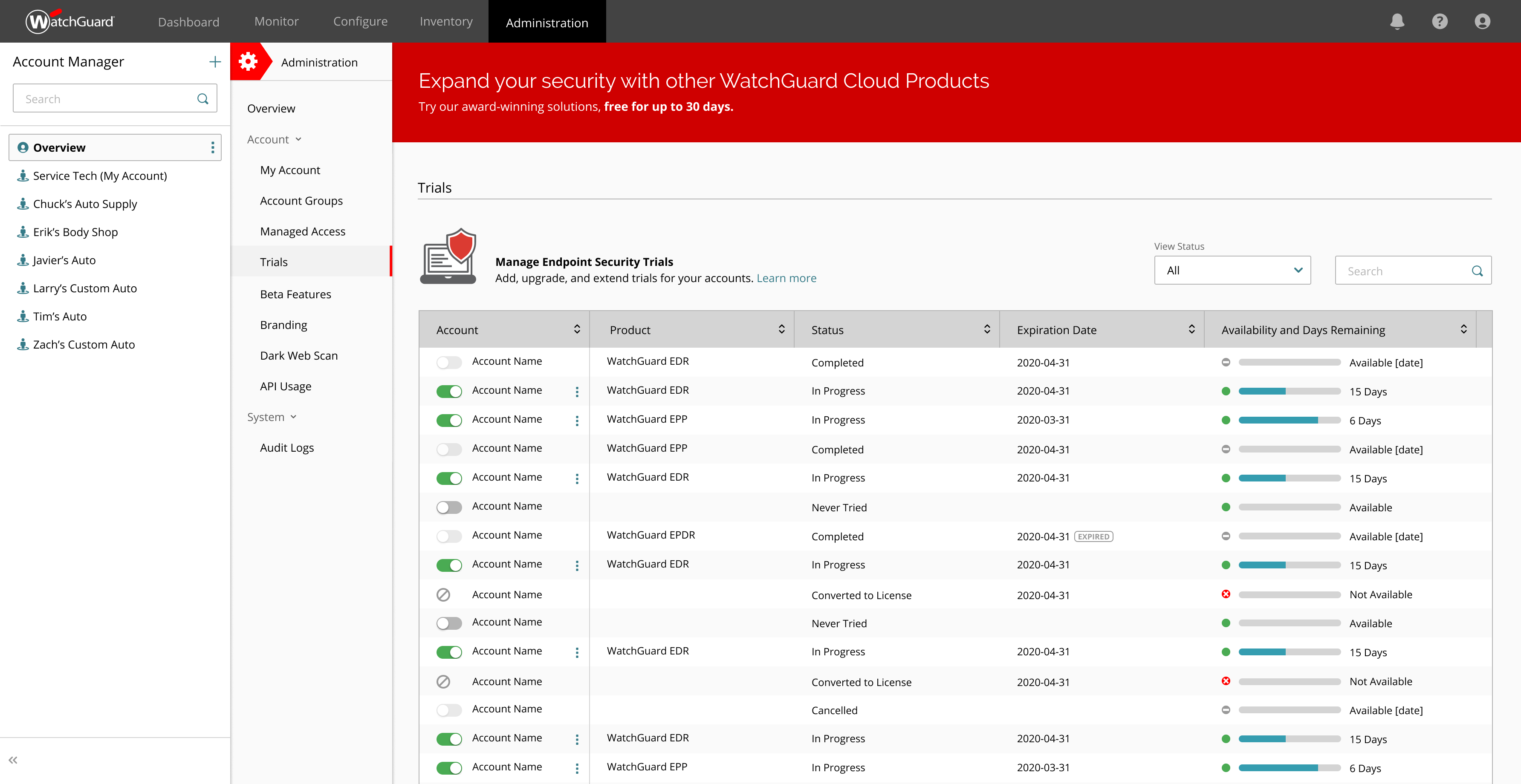
Easy and intuitive MSP management portal to manage all of your clients from a single pane of glass. Policies can be pushed down globally or individually based on needs. The client portal allows access to their tenant information and installs only which is nice if you are working with clients who might have an internal person or an IT team that also wants access to things to manage themself.
The software is 100% managed on a cloud platform that can be managed via an account even if they are not present within the company network where the software is installed, I even always opened the control panel on the browser of my smartphone to monitor the situation.I have never experienced any abnormal software crashes
The only annoyance I complain, if we want to be picky, is the fact of the constant disconnections from the control panel.Every about 4 hours the account logs out even if I set the "remember this device" flag; having said that I have not noticed neither slowdowns nor conflicts with other software
Their support throughout our onboarding of the product was fabulous. They not only took the time to carefully explain to teams not as well equipped with the lingo but explained to the tech team how to teach the other teams to be successful. They never once seemed impatient or annoyed with basic questions and didn’t pretend to know something when they needed to research an answer
I gave it a 10 because I compare it to air conditioning. I need it to work every day, 24/7. I need it to be reliable and not something that requires a ton of interaction from staff to make sure it works every day. In addition, I should be able to run other things at my house when the AC is on. Panda fits that description.
Microsoft Provides a good training for the Microsoft 365 Defender and has a good learning paths to learn and take the exams and get your Certifications.
The training was very helpful. It demonstrated how to configure the service for initial install, items to monitor, and how to set up for ongoing protection. Hands on training is more helpful but this is a good starting point
seemless and almost transparent. can be deployed by script if needed so every endpoint on our system get's it. if you have intune it gets dumped on the the endpoint by policy so nothing escapes it
Implementation shouldn't present any problems in standard office environments. In environments with development teams, however, caution is needed. If zero trust is enabled, mechanisms must be in place to ensure that internal software isn't classified as a false positive (software certificate, exception folder, etc.)
Our product in that area, for instance as a security platform and for us it is for the moment really bad point. We started to move in that direction that there is that disconnect from the client management. So if there is some action that needs to be executed detected by security team, there is not an easy way to make that available to the team that is responsible for managing the identities as users, as the devices
Despite offering great value for money, comparing Sophos' offering to WatchGuard Endpoint Security we find Sophos' offering is far superiour due to it's support system, the distributors it uses (apart from Arrow), it's management console, the resource-light application and, primarily, it's ability as an Endpoint Security program. Though the fact we offer both solution proves that WatchGuard Endpoint Security has it's place in an MSP's portfolio.
With the implementation of watchguard (at the beginning Panda Endpoint, but it is the same) I was able to insert in the control panel all the unauthorized software previously installed by colleagues without any authorization from the various department heads.Now any licensed software goes into lockdown and can be unlocked from the control panel
It has allowed me to add clients without increasing IT staffing
Its price point is very competitive for my company and my client's companies
Its ability to prevent ALL successful attacks on my company and that of my clients over the last 23+ years has immeasurable value in both confidence and dollars