Chose Microsoft BI (MSBI)
Microsoft BI is ideal for proficient Excel users, and it is the best choice in terms of visualizations. We decided to use Microsoft BI for these reasons.

| Product | Rating | Most Used By | Product Summary | Starting Price |
|---|---|---|---|---|
 Microsoft BI (MSBI) | N/A | Microsoft BI is a business intelligence product used for data analysis and generating reports on server-based data. It features unlimited data analysis capacity with its reporting engine, SQL Server Reporting Services alongside ETL, master data management, and data cleansing. | $14 per month per user | |
 Qlik Sense | N/A | Qlik Sense® is a self-service BI platform for data discovery and visualization. It supports a full range of analytics use cases—data governance, pixel-perfect reporting, and collaboration. Its Associative Engine indexes and connects relationships between data points for creating actionable insights. | $200 per month |
| Microsoft BI (MSBI) | Qlik Sense | |||||||||||||||
|---|---|---|---|---|---|---|---|---|---|---|---|---|---|---|---|---|
| Editions & Modules |
|
| ||||||||||||||
| Offerings |
| |||||||||||||||
| Entry-level Setup Fee | No setup fee | No setup fee | ||||||||||||||
| Additional Details | — | — | ||||||||||||||
| More Pricing Information | ||||||||||||||||
| Microsoft BI (MSBI) | Qlik Sense | |
|---|---|---|
| Considered Both Products |  Microsoft BI (MSBI) |  Qlik Sense  Sam Joseph Gomez Sr. Data Analyst Chose Qlik Sense Qlik Sense can easily integrate multiple data models to
visualize customer data. Tableau is easy to use—perhaps more manageable than Qlik—but
expensive. Microsoft BI was chosen because it was similar to previously used  Kees van Laarhoven Financial Director Chose Qlik Sense Qlik is more intuitive and more easy for users to build own dashboards.  Yiannos Morphitis Chief Commercial and Administrative Officer Chose Qlik Sense More user-friendly and more advanced visualization options at a very reasonable price.  Harjan Boes Operational Excellence Manager Chose Qlik Sense Low threshold implementation traject. Low starting cost. Experience of the project team in former companies with Qlik also contributed to the decision. |
| Microsoft BI (MSBI) | Qlik Sense | |||||||||||||||||||||
|---|---|---|---|---|---|---|---|---|---|---|---|---|---|---|---|---|---|---|---|---|---|---|
| BI Standard Reporting |
| |||||||||||||||||||||
| Ad-hoc Reporting |
| |||||||||||||||||||||
| Report Output and Scheduling |
| |||||||||||||||||||||
| Data Discovery and Visualization |
| |||||||||||||||||||||
| Access Control and Security |
| |||||||||||||||||||||
| Mobile Capabilities |
| |||||||||||||||||||||
| Application Program Interfaces (APIs) / Embedding |
|
| Microsoft BI (MSBI) | Qlik Sense | |
|---|---|---|
| Small Businesses |  Yellowfin Score 8.8 out of 10 | Yellowfin Score 8.8 out of 10 |
| Medium-sized Companies |  Reveal Score 10.0 out of 10 | Reveal Score 10.0 out of 10 |
| Enterprises |  Kyvos Semantic Layer Score 9.5 out of 10 | Kyvos Semantic Layer Score 9.5 out of 10 |
| All Alternatives | View all alternatives | View all alternatives |
| Microsoft BI (MSBI) | Qlik Sense | |
|---|---|---|
| Likelihood to Recommend | 9.9 (73 ratings) | 8.3 (330 ratings) |
| Likelihood to Renew | 8.0 (25 ratings) | 8.4 (7 ratings) |
| Usability | 10.0 (15 ratings) | 8.3 (14 ratings) |
| Availability | 9.5 (2 ratings) | - (0 ratings) |
| Performance | 7.0 (2 ratings) | - (0 ratings) |
| Support Rating | 8.9 (15 ratings) | 7.3 (8 ratings) |
| In-Person Training | 6.9 (3 ratings) | 9.1 (1 ratings) |
| Online Training | 8.5 (2 ratings) | 9.1 (1 ratings) |
| Implementation Rating | 9.6 (7 ratings) | 7.3 (5 ratings) |
| Configurability | 10.0 (2 ratings) | - (0 ratings) |
| Vendor post-sale | - (0 ratings) | 9.1 (1 ratings) |
| Vendor pre-sale | - (0 ratings) | 9.1 (1 ratings) |
| Microsoft BI (MSBI) | Qlik Sense | |
|---|---|---|
| Likelihood to Recommend | Microsoft
| Qlik
 Gustavo Figueroa IT Developer / Engineer |
| Pros | Microsoft
 Nilufa Hossain IT Specialist | Qlik
 Victor Ramirez Benitez Sales Support Team Leader Arg |
| Cons | Microsoft
| Qlik
 Anjum Arora Group ICT Head - Technology & Applications |
| Likelihood to Renew | Microsoft
 Lee Cullom President | Qlik
|
| Usability | Microsoft
| Qlik
 Manjul Malhotra Product Consultant |
| Reliability and Availability | Microsoft
 Robert Goodman Director, Business Intelligence & Analytics | Qlik No answers on this topic |
| Performance | Microsoft
Robert Goodman Director, Business Intelligence & Analytics | Qlik No answers on this topic |
| Support Rating | Microsoft
 Jacob Saunders National Practice Director - Business Intelligence | Qlik
|
| In-Person Training | Microsoft
 Stephanie Grice Business Intelligence Analyst | Qlik
|
| Online Training | Microsoft
 Sean Brady Business Intelligence Architect | Qlik
|
| Implementation Rating | Microsoft
Jacob Saunders National Practice Director - Business Intelligence | Qlik
 Mohan Suswaram Enterprise Data Architect |
| Alternatives Considered | Microsoft
| Qlik
 Lucy Daniell Senior Business Analyst |
| Return on Investment | Microsoft
 Haibo Yang BI Reporting Specialist | Qlik
|
| ScreenShots | Qlik Sense Screenshots   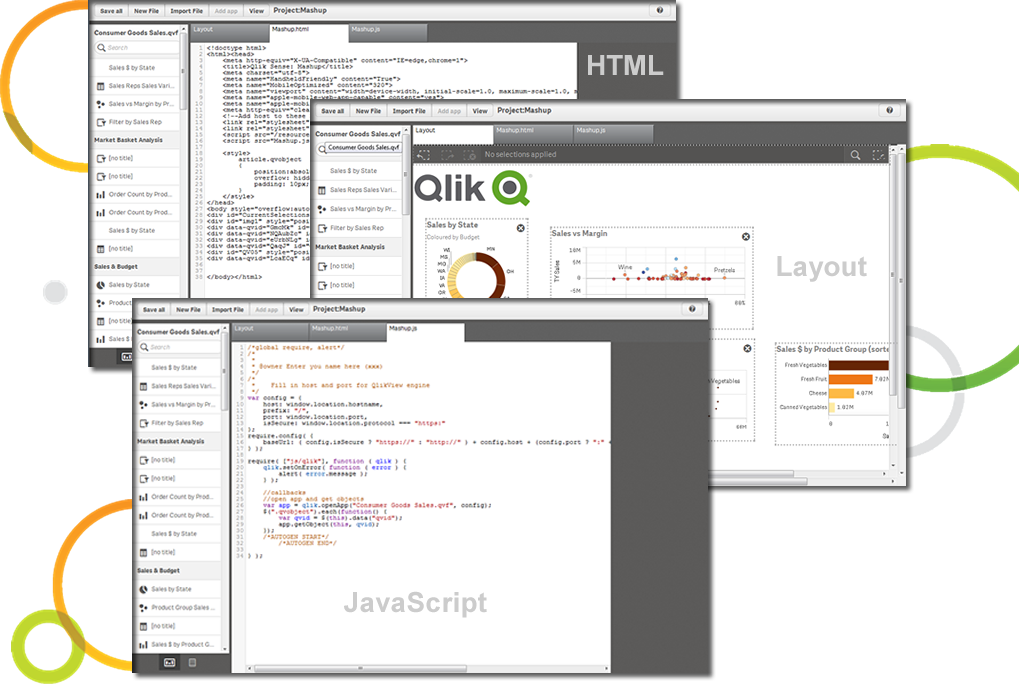   |