Chose N-able N-central
Tried another MSP software provider however the cost was not justified.

| Product | Rating | Most Used By | Product Summary | Starting Price |
|---|---|---|---|---|
 ManageEngine Site24x7 | N/A | Site24x7 from ManageEngine is a full-stack application, website, server, cloud and network monitoring tool. Site24x7 offers code-level diagnostics and customizable error thresholds, end-to-end monitoring with topology visualization tools, and mobile accessibility. | $9 10 monitors | |
 N-able N-central | N/A | MSPs and IT professionals use N-able™ N-central® to monitor and manage devices and complex networks remotely. N-central provides visibility and efficiency as the user's needs scale. N-central can help users: 1. Proactively monitor everything on a customer network—not just servers and workstations—and troubleshoot. 2. Stay on top of threats with features like MFA, antivirus, integrated endpoint detection and response, data backup, disk encryption, email protection,… | N/A | |
 TeamViewer | N/A | TeamViewer provides software for both remote management and online collaborations. With TeamViewer, users have access to fully integrated online conference solutions for audio and video communication, including interactive screen sharing and remote access features. | $299 per year |
| ManageEngine Site24x7 | N-able N-central | TeamViewer | ||||||||||||||||||||||
|---|---|---|---|---|---|---|---|---|---|---|---|---|---|---|---|---|---|---|---|---|---|---|---|---|
| Editions & Modules |
| No answers on this topic |
| |||||||||||||||||||||
| Offerings |
| |||||||||||||||||||||||
| Entry-level Setup Fee | $1 monitors | No setup fee | Optional | |||||||||||||||||||||
| Additional Details | Each Pack will also support additional benefits such as Network interfaces, Applogs, Alert credits etc. You can also, purchase add-ons to create custom pricing options. Please visit the vendor's pricing page, for more information. | — | — | |||||||||||||||||||||
| More Pricing Information | ||||||||||||||||||||||||
| ManageEngine Site24x7 | N-able N-central | TeamViewer | |
|---|---|---|---|
| Considered Multiple Products |  ManageEngine Site24x7 No answer on this topic | N-able N-central |  TeamViewer No answer on this topic |
| ManageEngine Site24x7 | N-able N-central | TeamViewer | |||||||||||||||||||||||||||
|---|---|---|---|---|---|---|---|---|---|---|---|---|---|---|---|---|---|---|---|---|---|---|---|---|---|---|---|---|---|
| Monitoring Tasks |
| ||||||||||||||||||||||||||||
| Management Tasks |
| ||||||||||||||||||||||||||||
| Reporting |
| ||||||||||||||||||||||||||||
| Security |
| ||||||||||||||||||||||||||||
| Security |
| ||||||||||||||||||||||||||||
| Remote Administration |
| ||||||||||||||||||||||||||||
| Platform & Infrastructure |
| ||||||||||||||||||||||||||||
| Remote Access |
|
| ManageEngine Site24x7 | N-able N-central | TeamViewer | |
|---|---|---|---|
| Small Businesses |  Panda Systems Management Score 7.8 out of 10 | Panda Systems Management Score 7.8 out of 10 |  Getscreen.me Score 9.6 out of 10 |
| Medium-sized Companies |  ManageEngine ADAudit Plus Score 9.0 out of 10 |  Action1 Score 9.5 out of 10 | Action1 Score 9.5 out of 10 |
| Enterprises | ManageEngine ADAudit Plus Score 9.0 out of 10 | TeamViewer Score 8.5 out of 10 |  Remote Desktop Manager Score 9.5 out of 10 |
| All Alternatives | View all alternatives | View all alternatives | View all alternatives |
| ManageEngine Site24x7 | N-able N-central | TeamViewer | |
|---|---|---|---|
| Likelihood to Recommend | 8.6 (13 ratings) | 8.7 (25 ratings) | 8.7 (557 ratings) |
| Likelihood to Renew | - (0 ratings) | 9.1 (2 ratings) | 10.0 (64 ratings) |
| Usability | - (0 ratings) | 7.3 (7 ratings) | 9.1 (57 ratings) |
| Availability | - (0 ratings) | - (0 ratings) | 9.1 (5 ratings) |
| Performance | - (0 ratings) | - (0 ratings) | 9.1 (5 ratings) |
| Support Rating | 8.0 (2 ratings) | 1.0 (8 ratings) | 9.6 (50 ratings) |
| In-Person Training | - (0 ratings) | - (0 ratings) | 9.1 (2 ratings) |
| Online Training | - (0 ratings) | - (0 ratings) | 9.1 (4 ratings) |
| Implementation Rating | - (0 ratings) | 8.4 (2 ratings) | 8.9 (119 ratings) |
| Configurability | - (0 ratings) | - (0 ratings) | 9.1 (4 ratings) |
| Ease of integration | - (0 ratings) | - (0 ratings) | 9.1 (5 ratings) |
| Product Scalability | - (0 ratings) | - (0 ratings) | 9.1 (5 ratings) |
| Vendor post-sale | - (0 ratings) | - (0 ratings) | 8.5 (5 ratings) |
| Vendor pre-sale | - (0 ratings) | - (0 ratings) | 9.1 (5 ratings) |
| ManageEngine Site24x7 | N-able N-central | TeamViewer | |
|---|---|---|---|
| Likelihood to Recommend | ManageEngine, A Div of Zoho Corporation Pvt Ltd
| N-able
 Joe Cullen Technical Manager | TeamViewer
|
| Pros | ManageEngine, A Div of Zoho Corporation Pvt Ltd
 Rob Bates Public & Private Cloud Senior Engineer | N-able
 Nicolas Poague NOC Supervisor | TeamViewer
|
| Cons | ManageEngine, A Div of Zoho Corporation Pvt Ltd
 Rob Domenico Senior Systems Administrator | N-able
| TeamViewer
 Sander de Beus IT Service Coördinator |
| Likelihood to Renew | ManageEngine, A Div of Zoho Corporation Pvt Ltd No answers on this topic | N-able
| TeamViewer
 Yvonne Graber President, Owner |
| Usability | ManageEngine, A Div of Zoho Corporation Pvt Ltd No answers on this topic | N-able
| TeamViewer
|
| Reliability and Availability | ManageEngine, A Div of Zoho Corporation Pvt Ltd No answers on this topic | N-able No answers on this topic | TeamViewer
|
| Performance | ManageEngine, A Div of Zoho Corporation Pvt Ltd No answers on this topic | N-able No answers on this topic | TeamViewer
 Mike Robinson Internet Director / UNIX Administrator |
| Support Rating | ManageEngine, A Div of Zoho Corporation Pvt Ltd
 Wes Dunaway Senior System Architect | N-able
| TeamViewer
 Andrew Shannon Senior System Administrator |
| In-Person Training | ManageEngine, A Div of Zoho Corporation Pvt Ltd No answers on this topic | N-able No answers on this topic | TeamViewer
|
| Online Training | ManageEngine, A Div of Zoho Corporation Pvt Ltd No answers on this topic | N-able No answers on this topic | TeamViewer
 Jordan Paquette IT Support Technician |
| Implementation Rating | ManageEngine, A Div of Zoho Corporation Pvt Ltd No answers on this topic | N-able
| TeamViewer
 J Rio Fultz CEO |
| Alternatives Considered | ManageEngine, A Div of Zoho Corporation Pvt Ltd
 Robert Paul Technical Administrator | N-able
| TeamViewer
|
| Scalability | ManageEngine, A Div of Zoho Corporation Pvt Ltd No answers on this topic | N-able No answers on this topic | TeamViewer
|
| Return on Investment | ManageEngine, A Div of Zoho Corporation Pvt Ltd
| N-able
| TeamViewer
|
| ScreenShots | ManageEngine Site24x7 Screenshots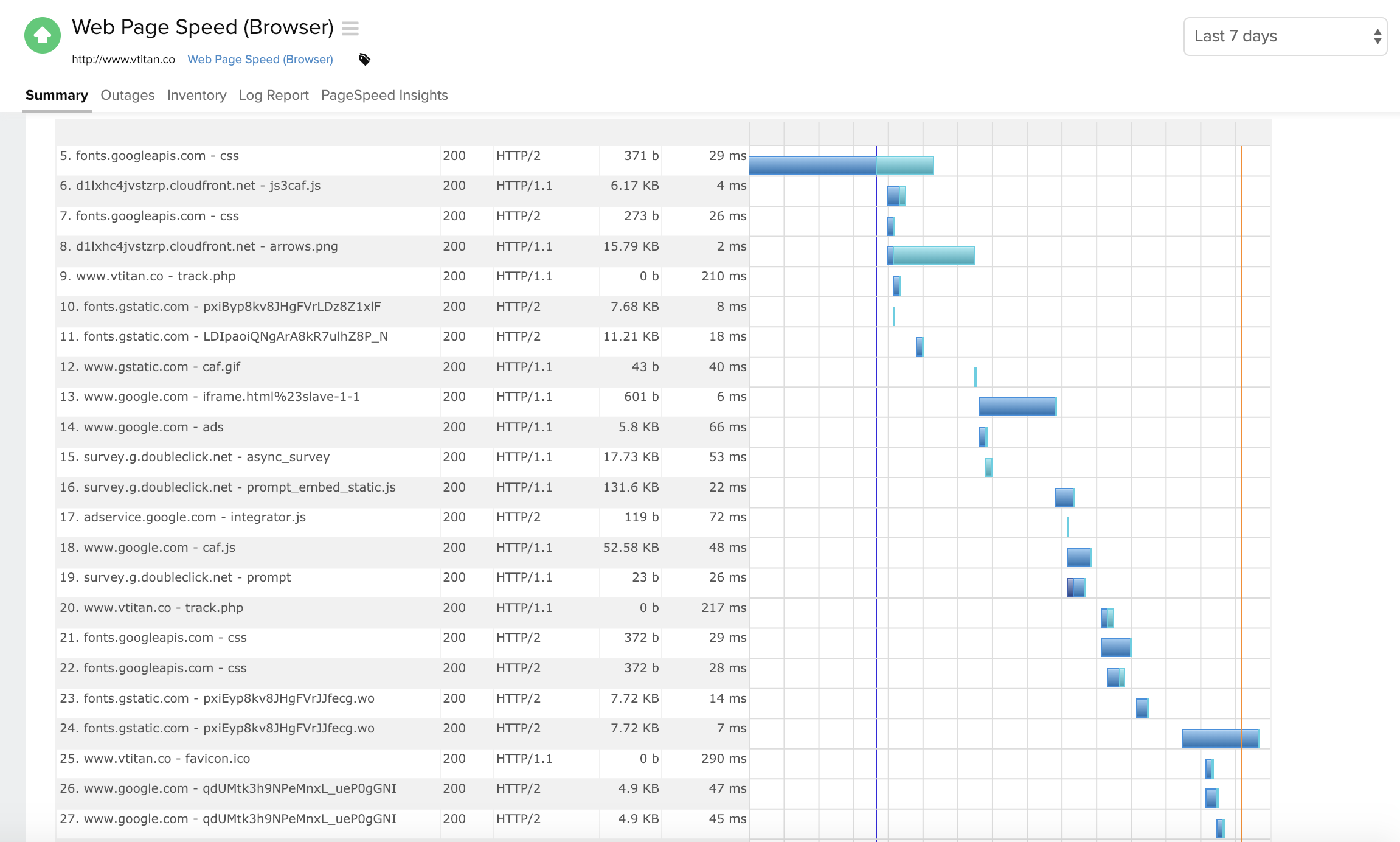      | N-able N-central Screenshots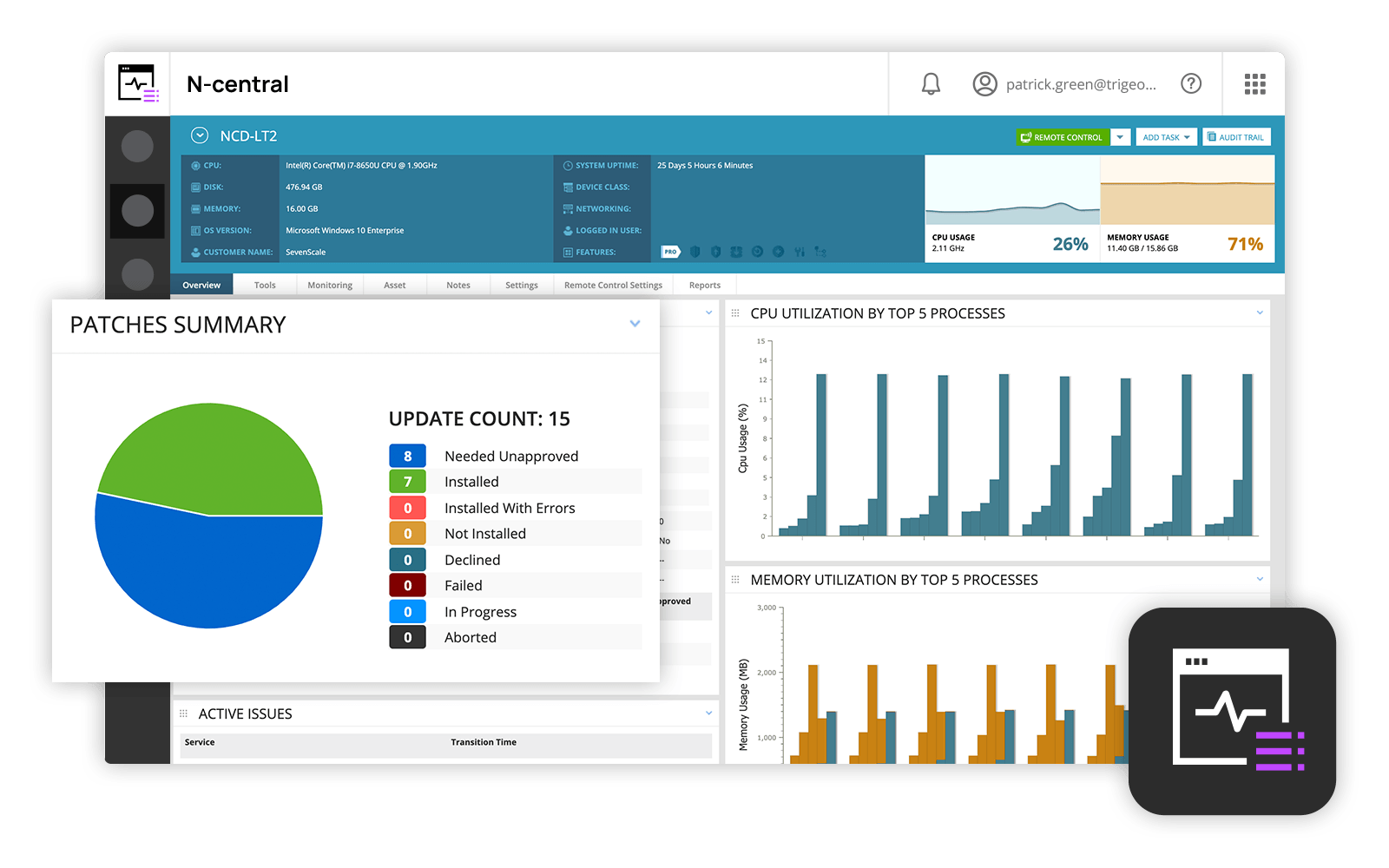  | TeamViewer Screenshots    |
