Microsoft's Azure Data Factory is a service built for all data integration needs and skill levels. It is designed to allow the user to easily construct ETL and ELT processes code-free within the intuitive visual environment, or write one's own code. Visually integrate data sources using more than 80 natively built and maintenance-free connectors at no added cost. Focus on data—the serverless integration service does the rest.
N/A
Skyvia
Score 10.0 out of 10
Mid-Size Companies (51-1,000 employees)
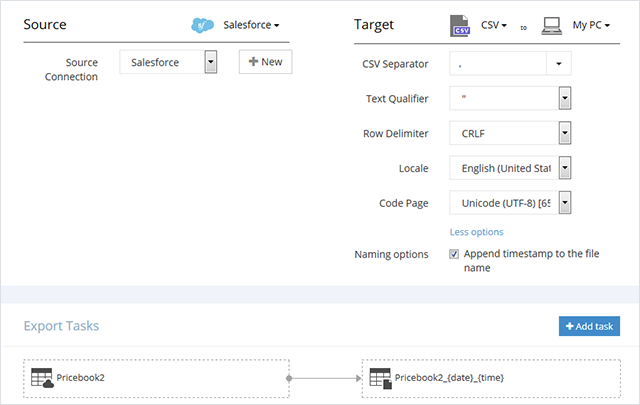
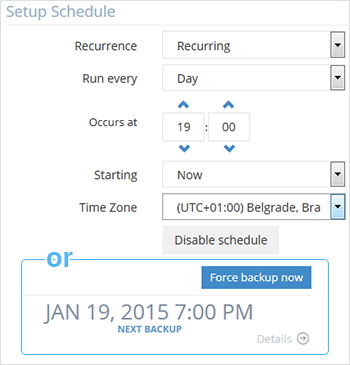
Skyvia is a no-code cloud data integration platform for ETL, ELT, Reverse ETL, data migration, one-way and bi-directional data sync, workflow automation, and real-time connectivity. Benefits of Using Skyvia: • Cost efficiency: With flexible pricing plans for each product, Skyvia suites for businesses of any size. • Flexibility: Skyvia provides adaptable, no-code integration tools for both basic and advanced business…
$99
per month
Pricing
Azure Data Factory
Skyvia
Editions & Modules
No answers on this topic
Basic
$99
per month
Standard
$199
per month
Professional
$249
per month
Offerings
Pricing Offerings
Azure Data Factory
Skyvia
Free Trial
No
Yes
Free/Freemium Version
No
Yes
Premium Consulting/Integration Services
No
No
Entry-level Setup Fee
No setup fee
No setup fee
Additional Details
—
20% discount for annual pricing.
More Pricing Information
Community Pulse
Azure Data Factory
Skyvia
Considered Both Products
Azure Data Factory
No answer on this topic
Skyvia
Verified User
Employee
Chose Skyvia
I see Skyvia is a great solution for those who want to migrate and transfer there data, especially sensitive and very important valuable data to data storage
Features
Azure Data Factory
Skyvia
Data Source Connection
Comparison of Data Source Connection features of Product A and Product B
Azure Data Factory
8.0
8 Ratings
3% below category average
Skyvia
10.0
21 Ratings
20% above category average
Connect to traditional data sources
9.08 Ratings
10.021 Ratings
Connecto to Big Data and NoSQL
7.18 Ratings
00 Ratings
Data Transformations
Comparison of Data Transformations features of Product A and Product B
Azure Data Factory
8.0
8 Ratings
1% below category average
Skyvia
10.0
18 Ratings
21% above category average
Simple transformations
9.08 Ratings
10.018 Ratings
Complex transformations
7.08 Ratings
00 Ratings
Data Modeling
Comparison of Data Modeling features of Product A and Product B
Azure Data Factory
7.2
8 Ratings
8% below category average
Skyvia
9.6
17 Ratings
20% above category average
Data model creation
7.06 Ratings
9.214 Ratings
Metadata management
7.07 Ratings
00 Ratings
Business rules and workflow
7.08 Ratings
10.014 Ratings
Collaboration
7.97 Ratings
00 Ratings
Testing and debugging
6.08 Ratings
00 Ratings
Data Governance
Comparison of Data Governance features of Product A and Product B
Well-suited Scenarios for Azure Data Factory (ADF): When an organization has data sources spread across on-premises databases and cloud storage solutions, I think Azure Data Factory is excellent for integrating these sources. Azure Data Factory's integration with Azure Databricks allows it to handle large-scale data transformations effectively, leveraging the power of distributed processing. For regular ETL or ELT processes that need to run at specific intervals (daily, weekly, etc.), I think Azure Data Factory's scheduling capabilities are very handy. Less Appropriate Scenarios for Azure Data Factory: Real-time Data Streaming - Azure Data Factory is primarily batch-oriented. Simple Data Copy Tasks - For straightforward data copy tasks without the need for transformation or complex workflows, in my opinion, using Azure Data Factory might be overkill; simpler tools or scripts could suffice. Advanced Data Science Workflows: While Azure Data Factory can handle data prep and transformation, in my experience, it's not designed for in-depth data science tasks. I think for advanced analytics, machine learning, or statistical modeling, integration with specialized tools would be necessary.
1. It can be connected to slack for companies that uses that system. 2. Also can be connected to Google Drive to share information from spreadsheets and csv data. 3. It works efficiently with WordPress websites which are the most used platform for web development. 4. It connects ORACLE's databases with different systems online and that's very useful.
It allows copying data from various types of data sources like on-premise files, Azure Database, Excel, JSON, Azure Synapse, API, etc. to the desired destination.
We can use linked service in multiple pipeline/data load.
It also allows the running of SSIS & SSMS packages which makes it an easy-to-use ETL & ELT tool.
So far product has performed as expected. We were noticing some performance issues, but they were largely Synapse related. This has led to a shift from Synapse to Databricks. Overall this has delayed our analytic platform. Once databricks becomes fully operational, Azure Data Factory will be critical to our environment and future success.
Because as a developer and programmer is very easy to work with and provides many options to very complex problems. It provides guides for integration that are very useful and makes us save a lot of money and time on integrations. Also Skyvia is constantly adding more data systems on their lists for us to provide as web managers.
We have not had need to engage with Microsoft much on Azure Data Factory, but they have been responsive and helpful when needed. This being said, we have not had a major emergency or outage requiring their intervention. The score of seven is a representation that they have done well for now, but have not proved out their support for a significant issue
The easy integration with other Microsoft software as well as high processing speed, very flexible cost, and high level of security of Microsoft Azure products and services stack up against other similar products.
Compared to similar user-friendly data integration systems like Integrate.io, Stitch, or Azure, Skyvia still wins in the number of connectors and pricing policy. Skyvia is a tool for companies like ours, starving for simple but, at the same time, robust and cost-effective data transfer solutions. It doesn't require additional knowledge for implementation and usage because it's no code. We'd recommend Skyvia as the best solution for non-technical staff.
The core of our business lies in analyzing data from various sources, and while ETL itself is not our primary focus, it is a necessary process to achieve our goals. Thanks to Skyvia, we are able to streamline the ETL process at a reasonable price, allowing us to dedicate our efforts to data analysis without the burden of ETL complexities.