
Chose Constant Contact
Constant Contact vs. iContact vs. Salesforce Agentforce Marketing
Constant Contact vs. iContact vs. Salesforce Agentforce Marketing
| Product | Rating | Most Used By | Product Summary | Starting Price |
|---|---|---|---|---|
 Constant Contact | N/A | Constant Contact is a full-featured email marketing solution with capabilities such as social media integration, drag-and-drop editing, and real-time reporting. It is a bulk email tool designed for SMB customers. Since 2019, Constant Contact also offers marketing automation features, a website and landing page builder, and other tools to support midsize businesses. | $12 per month | |
 iContact | N/A | iContact is an email marketing solution that was acquired by Vocus in 2012. The product is integrated with Facebook and Twitter and is aimed at SMBs with unlimited sending as a key feature. | $14 per month | |
 Agentforce Marketing | N/A | Marketing Cloud is a cloud-based digital marketing platform, used by marketers can segment their audience, deliver personalized messages, track campaign performance, engage leads and accounts, and optimize strategies based on real-time insights. | $1,250 per month per installation |
| Constant Contact | iContact | Salesforce Agentforce Marketing | ||||||||||||||||||||||
|---|---|---|---|---|---|---|---|---|---|---|---|---|---|---|---|---|---|---|---|---|---|---|---|---|
| Editions & Modules |
|
|
| |||||||||||||||||||||
| Offerings |
| |||||||||||||||||||||||
| Entry-level Setup Fee | No setup fee | No setup fee | No setup fee | |||||||||||||||||||||
| Additional Details | The SMS Marketing tool can be added to any Standard or Premium Constant Contact account. SMS is only available in the US for Standard and Premium paid plans. SMS can be added when logged in to an account after purchase. Plans start at $10/month for up to 500 messages. | — | — | |||||||||||||||||||||
| More Pricing Information | ||||||||||||||||||||||||
| Constant Contact | iContact | Salesforce Agentforce Marketing | |
|---|---|---|---|
| Considered Multiple Products |  Constant Contact  Darcy Knapp, MBA owner Chose Constant Contact Constant Contact is the best value for the investment. There are cheaper solutions - but not better. When you want to make a good impression, you want Constant Contact to be your provider (when we see Mailchimp emails we just delete!)  Sanjit Mandal Digital Marketing Strategist, Founder Chose Constant Contact Simplest to use, great GUI, and awesome support! For SMB and startups, email marketing isn't their specialty, so having support is essential. To design a beautiful email can be challenging, but with CC, you put in your website and it can create custom emails using the colors …  Alison Walkley Digital Marketing Manager Chose Constant Contact I would say that Constant Contact and MailChimp are fairly comparable in terms of features and uses. I've used both at several companies and haven't noticed a large difference between the two. By the time I was about to leave my previous company that used Constant Contact, we …  Aubrey Gross Marketing Manager Chose Constant Contact Constant Contact and Vertical Response were on my shortlist. Ultimately I chose Constant Contact because of budget and functionality. |  iContact  Jerry van Dalen Jr. Sales Account Executive Chose iContact iContact was the solution in use when I entered the organization. I have heard very good things about MailChimp and Constant Contact, the other two big names in this field. We have chosen to remain with iContact since then, but would be open to moving. However, it is fulfilling …  Danny Poulos Senior Loan Originator Chose iContact More versatile and less restrictive regarding content. I tried Constant Contact first and quickly became frustrated and was happy to find iContact.  Stacy Venditto CRM & Digital Marketing Manager Chose iContact  Mark Tuttle Marketing Master Chose iContact We are no longer using iContact, but if you were comparing them to Constant contact, Mail Chimp, etc. then go with one of those, their software is more current and they have better analytics, but will still be in the cheaper price bracket. Currently, we are using our ESP, …  Zeenath Haniff Managing Editor Chose iContact I have not yet tried ConstantContact, but iContact has served our company well thus far. Although ConstantContact seems more popular in our circles, iContact has been trustworthy and reliable with very minor issues, if any. The one thing that really makes iContact stand apart …  Nicholas Blumenberg Marketing Assistant Chose iContact Better service, easier to use. |  Agentforce Marketing  Becky McLaughlin Marketing Director Chose Salesforce Agentforce Marketing Pardot is way more than an email platform.  Nichole Smith Digital Communications Manager Chose Salesforce Agentforce Marketing I have used parts of the marketing cloud. While certain components of the marketing cloud are better (like social studio), the marketing automation and email marketing components of pardot are better and best suited for our business.  Sari Hegewald Marketing Manager Chose Salesforce Agentforce Marketing More options.  Jenn Larson Web Developer Chose Salesforce Agentforce Marketing Has many more features that tie in to our sales process. |
| Constant Contact | iContact | Salesforce Agentforce Marketing | |||||||||||||||||||||||||||||||||||||||
|---|---|---|---|---|---|---|---|---|---|---|---|---|---|---|---|---|---|---|---|---|---|---|---|---|---|---|---|---|---|---|---|---|---|---|---|---|---|---|---|---|---|
| Email & Online Marketing |
| ||||||||||||||||||||||||||||||||||||||||
| Reporting & Analytics |
| ||||||||||||||||||||||||||||||||||||||||
| Pre-Send Testing |
| ||||||||||||||||||||||||||||||||||||||||
| Lead Management |
| ||||||||||||||||||||||||||||||||||||||||
| Campaign Management |
| ||||||||||||||||||||||||||||||||||||||||
| Social Media Marketing |
| ||||||||||||||||||||||||||||||||||||||||
| Platform & Infrastructure |
|
| Constant Contact | iContact | Salesforce Agentforce Marketing | |
|---|---|---|---|
| Small Businesses |  Vbout Score 9.9 out of 10 | Vbout Score 9.9 out of 10 | Vbout Score 9.9 out of 10 |
| Medium-sized Companies |  VerticalResponse Score 10.0 out of 10 | VerticalResponse Score 10.0 out of 10 |  PFL Direct Mail Platform Score 9.0 out of 10 |
| Enterprises |  Emma by Marigold Score 9.3 out of 10 | Emma by Marigold Score 9.3 out of 10 | PFL Direct Mail Platform Score 9.0 out of 10 |
| All Alternatives | View all alternatives | View all alternatives | View all alternatives |
| Constant Contact | iContact | Salesforce Agentforce Marketing | |
|---|---|---|---|
| Likelihood to Recommend | 9.2 (135 ratings) | 8.0 (45 ratings) | 8.0 (328 ratings) |
| Likelihood to Renew | 9.9 (23 ratings) | 3.4 (19 ratings) | 8.1 (114 ratings) |
| Usability | 10.0 (12 ratings) | 8.0 (6 ratings) | 8.3 (37 ratings) |
| Availability | 9.0 (2 ratings) | 9.0 (1 ratings) | 10.0 (11 ratings) |
| Performance | 10.0 (2 ratings) | 8.0 (1 ratings) | 9.6 (9 ratings) |
| Support Rating | 10.0 (9 ratings) | 9.9 (9 ratings) | 7.0 (36 ratings) |
| In-Person Training | - (0 ratings) | - (0 ratings) | 5.0 (4 ratings) |
| Online Training | 10.0 (1 ratings) | 1.0 (1 ratings) | 8.1 (7 ratings) |
| Implementation Rating | 10.0 (5 ratings) | 8.5 (2 ratings) | 3.0 (17 ratings) |
| Configurability | 10.0 (1 ratings) | - (0 ratings) | - (0 ratings) |
| Contract Terms and Pricing Model | - (0 ratings) | - (0 ratings) | 5.0 (1 ratings) |
| Ease of integration | - (0 ratings) | - (0 ratings) | 7.0 (2 ratings) |
| Product Scalability | 10.0 (1 ratings) | 7.0 (1 ratings) | 7.3 (39 ratings) |
| Vendor post-sale | - (0 ratings) | - (0 ratings) | 8.0 (3 ratings) |
| Vendor pre-sale | - (0 ratings) | - (0 ratings) | 7.0 (3 ratings) |
| Constant Contact | iContact | Salesforce Agentforce Marketing | |
|---|---|---|---|
| Likelihood to Recommend | Constant Contact
| iContact
 Patrick Stephens Director Of Communications | Salesforce
|
| Pros | Constant Contact
| iContact
 Kirsten Rodriguez Internet Marketing Coordinator | Salesforce
 Juan Pablo De Sabato Contact Center Supervisor |
| Cons | Constant Contact
| iContact
| Salesforce
|
| Likelihood to Renew | Constant Contact
 Ty Swartz, CPP, USN Ret. Multimedia Communications Supervisor | iContact
Zeenath Haniff Managing Editor | Salesforce
 Karol Clark Marketing Manager |
| Usability | Constant Contact
 Giselle Aguiar Owner, Consultant | iContact
 Charlene Botet Pelaez Executive Assistant | Salesforce
 Dérick St-Hilaire Digital Marketing Specialist |
| Reliability and Availability | Constant Contact
| iContact
Zeenath Haniff Managing Editor | Salesforce
 Lisa Franks Marketing Manager |
| Performance | Constant Contact
| iContact No answers on this topic | Salesforce
|
| Support Rating | Constant Contact
| iContact
 Todd McGee Community Relations Director | Salesforce
|
| In-Person Training | Constant Contact No answers on this topic | iContact No answers on this topic | Salesforce
|
| Online Training | Constant Contact No answers on this topic | iContact
 Tamara Guion-Yagy Senior Illustrator/Graphic Designer | Salesforce
 Sean Marsh Digital Business Developer |
| Implementation Rating | Constant Contact
| iContact
| Salesforce
 Rob Sherman Software Engineering Manager |
| Alternatives Considered | Constant Contact
| iContact
 Malarie Knox Data Analyst | Salesforce
|
| Contract Terms and Pricing Model | Constant Contact No answers on this topic | iContact No answers on this topic | Salesforce
|
| Scalability | Constant Contact
| iContact
Zeenath Haniff Managing Editor | Salesforce
 John Chavez Manager of Instructional Design |
| Return on Investment | Constant Contact
| iContact
| Salesforce
|
| ScreenShots | Constant Contact Screenshots      | Agentforce Marketing Screenshots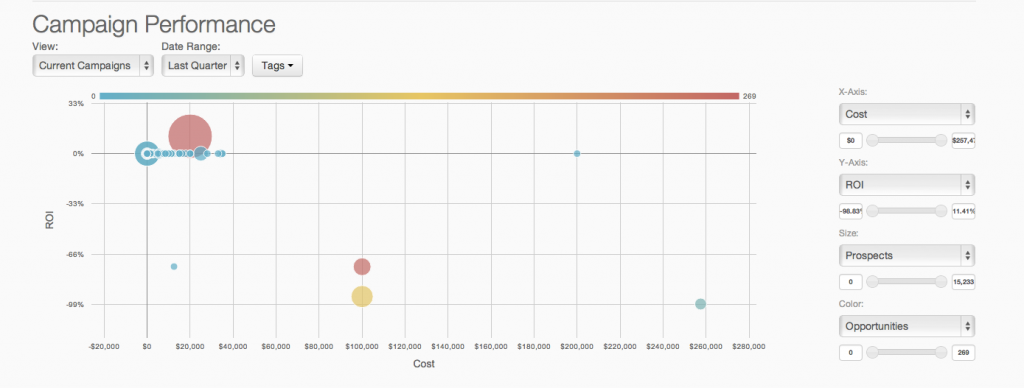  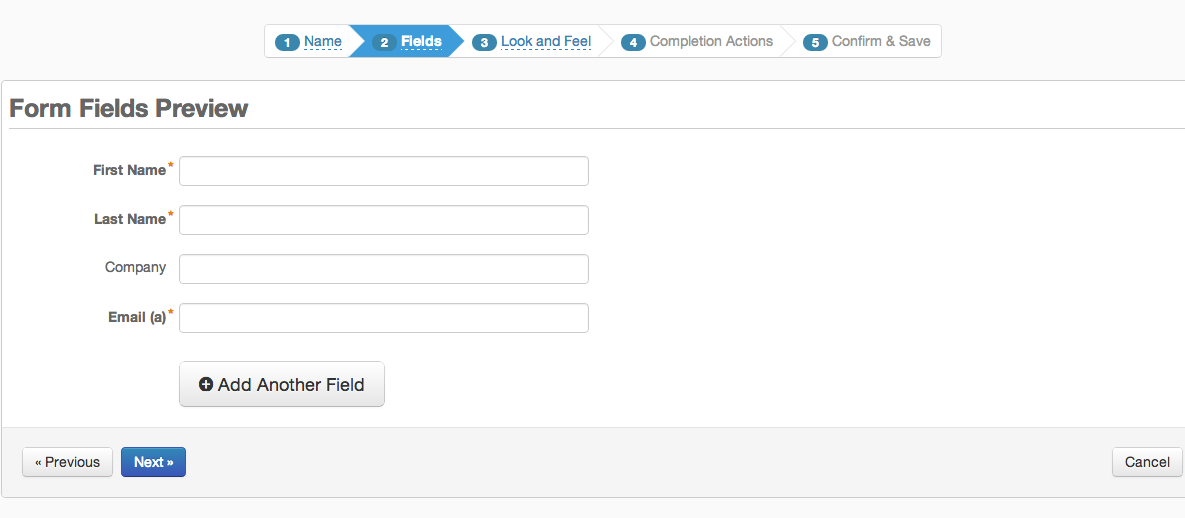  |
